Omnichannel sales automation connects every channel, email, SMS, voice, chat, and social, into one orchestrated system built around a single customer record. The result for B2B revenue teams is straightforward: faster follow-up, higher reply rates, and more meetings booked, because prospects experience one continuous conversation instead of five disconnected ones.
TL;DR:
- Omnichannel sales automation requires a unified customer record that enables real-time sharing of interactions across channels to prevent disjointed messaging.
- Success depends on a robust tech stack including a CRM, identity resolution system, orchestration engine, and integrated communication tools working seamlessly together.
- Prioritize fixing data quality, defining channel roles, and setting clear SLAs before scaling to ensure automation runs smoothly and adds value.
- AI enhances next-best-action decisions, speed of response, and personalized outreach, but only after establishing a solid data foundation.
- Running a phased pilot over 60 to 90 days with specific KPIs, such as reply rate and meetings booked, helps validate automation effectiveness before full rollout.
Table of Contents
- What Omnichannel Sales Automation Actually Means
- The Business Case: Why Omnichannel Pays Off
- The Tech Stack Behind Omnichannel Sales Automation
- Where AI Actually Helps (and Where to Set Guardrails)
- Your Implementation Roadmap: From Pilot to Scale
- Measuring What Matters: KPIs and Benchmarks
- Common Mistakes That Sink Omnichannel Projects
- Mediabloom’s Approach to Omnichannel Execution
- Where to Invest First: An Editorial Take
- Get a Pilot Running Without Building From Scratch
- Sources
- FAQ
What Omnichannel Sales Automation Actually Means
Multichannel means you show up in several places. Omnichannel means those places share the same memory. That distinction sounds academic until a prospect replies to an SMS about pricing, then gets a cold outbound email an hour later asking if they’ve “had a chance to consider” the product. That failure happens because the channels never talked to each other.
HubSpot’s definition of omnichannel sales centers on exactly this: every interaction feeds a single customer record, and that record drives what happens next across every channel. Context continuity, not channel count, is the real dividing line between omnichannel and multichannel setups.
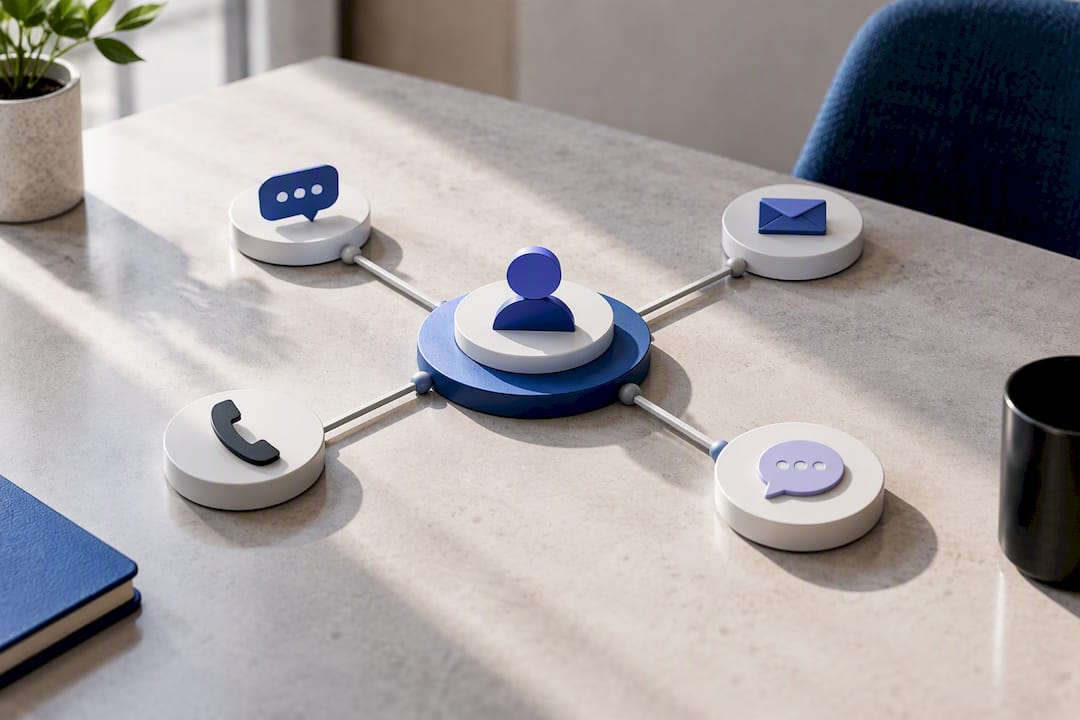
This shift also changes how teams measure success and who owns what. In a multichannel model, an SDR might own email, marketing owns ads, and support owns chat, each judged on its own metrics. In an omnichannel model, ownership shifts toward the full customer journey, and metrics like time-to-first-response and meetings booked matter more than channel-specific volume.
A few rules of thumb help teams decide which model fits their stage:
- If your buyer journey involves fewer than three touchpoints before a decision, multichannel presence is probably sufficient.
- If deals stall because prospects get repeated or contradictory messages, you have a context problem that only orchestration fixes.
- If your sales cycle spans multiple stakeholders and weeks, omnichannel coordination becomes close to mandatory, since B2B buyers now use around 10 interaction channels on average during a purchase decision, roughly double the number from 2016.
- If your CRM can’t show a rep the full history of a contact across channels in one view, fix that before adding more channels.
The Business Case: Why Omnichannel Pays Off
The channel-count trend alone makes the case for coordination. McKinsey’s research shows B2B buyers now move across roughly 10 channels during a purchase journey, and buyers who encounter disjointed messaging across those channels disengage faster than ones who experience continuity.
By the numbers: More than 30% of sales tasks are partially automatable today, and organizations that lead on sales automation report lower time-to-quote and lower cost-to-serve alongside stronger revenue outcomes.
That efficiency gain matters most where it’s felt daily: sellers stop manually logging calls, chasing which channel a lead came from, or re-explaining context to a colleague during a handoff. Time reclaimed from that busywork goes back into selling.
Automation adoption is also visibly reshaping lead generation itself. Rising chatbot and automated-channel usage has produced a measurable lift in lead generation across US markets, a trend that tracks closely with broader omnichannel adoption.
Retention tells a similar story, even if it’s less visible in a quarterly report. A prospect who experiences one coherent conversation from first touch through onboarding tends to trust the relationship more than one who got contradictory outreach along the way. That trust compounds into renewal and expansion revenue over the following year, which is where omnichannel investment actually pays for itself.
The Tech Stack Behind Omnichannel Sales Automation
Omnichannel execution depends on four components working together, not four separate tools bolted on side by side.
- CRM as the system of record. Every interaction across every channel needs to write back to one contact timeline. Pipedrive’s guide to omnichannel CRM notes that centralizing interactions this way is what enables the workflow automations that cut manual work for reps.
- CDP or identity graph. Before orchestration can happen, the system needs to know that the person who filled out a form, replied to an SMS, and visited the pricing page twice is the same person. Without identity resolution, “omnichannel” is really just several disconnected multichannel efforts wearing one label.
- Orchestration engine. This is the layer that decides what happens next: which channel fires, when, and under what condition. It reads signals (a reply, a page visit, a missed call) and triggers the appropriate next action instead of running on a fixed calendar.
- Integrations layer. Ad platforms, phone systems, chat widgets, and email tools all need real-time, bidirectional connections into the CRM and orchestration engine. A tool that only sends data one way (in, but never updating status) will quietly break your sequencing logic within weeks.
For teams starting from scratch, the minimum viable version of this stack is a CRM, a sequencing tool, and verified contact data. Everything else, the CDP, advanced identity resolution, AI scoring, gets layered on once that foundation reliably captures every interaction in one place. Trying to build the advanced layer before the foundation is the single most common reason omnichannel projects stall six months in.
Where AI Actually Helps (and Where to Set Guardrails)
AI’s real contribution to omnichannel sales automation isn’t writing catchier subject lines. It’s deciding what to do next and when to do it, at a scale no team of humans could match manually.
Next-best-action and channel selection. Instead of a rep guessing whether to call or email a lead who just downloaded a case study, AI models can weigh engagement signals and recommend the channel with the highest historical response rate for that segment.
Personalization at scale, with a human checkpoint. AI automates the research, personalization, and timing decisions that used to eat a rep’s morning, drafting a message informed by a prospect’s recent behavior rather than a generic template. The draft still benefits from a human or a trained review layer before it goes out, especially early in deployment.
Speed-to-lead routing. AI qualification models can score and route a new lead to the right rep, or trigger an AI voice agent call, within seconds of form submission, which matters enormously since response time is one of the strongest predictors of conversion in B2B.
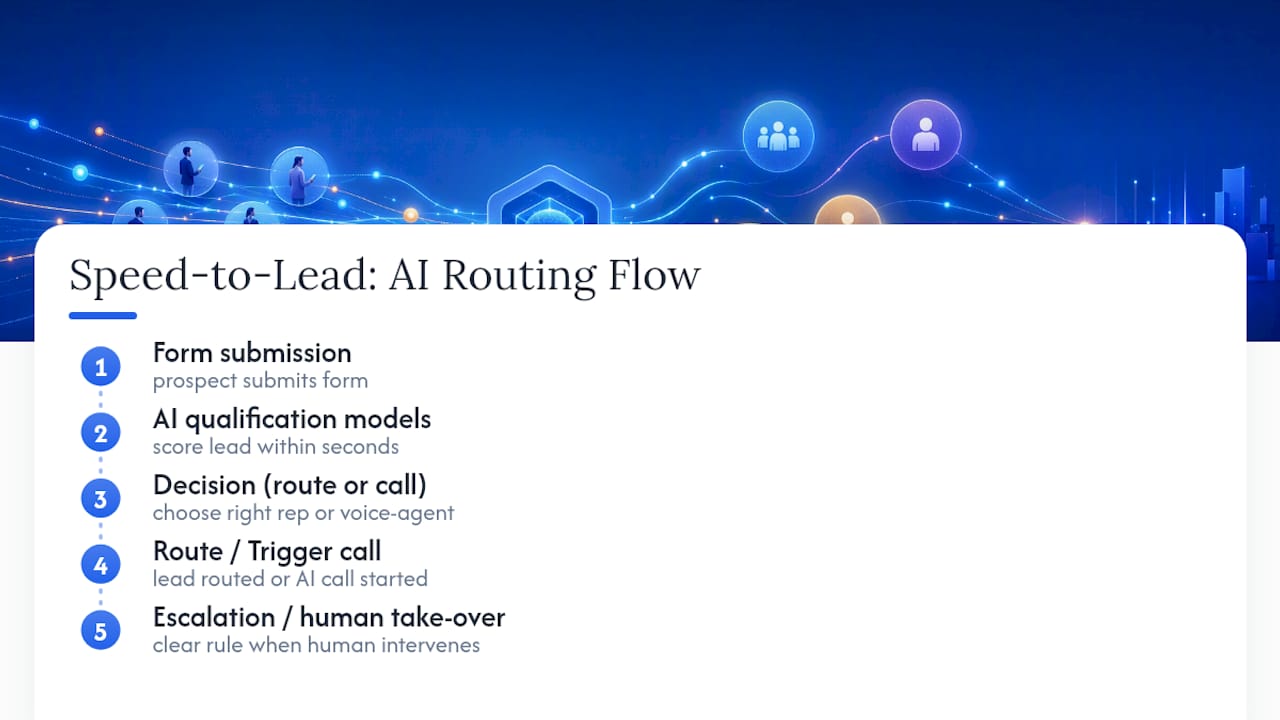
Governance can’t be an afterthought. Every AI-driven sequence needs consent tracking, a brand-voice checkpoint before messages ship, and a clear escalation rule for when a human should take over the conversation.
Pro Tip: Cap AI-driven outreach at a fixed number of touches per week per contact, and build a rule that halts all other channels automatically the moment a prospect responds on any one of them. That single guardrail prevents the most common AI-automation failure: a lead getting a chatbot reply, an email, and a cold call all in the same afternoon.
Your Implementation Roadmap: From Pilot to Scale
Building omnichannel sales automation in one sweeping rollout is how most projects fail. A phased pilot gives you real data before you commit budget to the full stack.
- Define your ICP and pick 2 to 3 channels. Practitioner guidance consistently recommends starting narrow, 2 to 3 channels, rather than launching across five channels at once. Pick the channels your ideal customer actually uses, not the ones that are easiest to automate.
- Assign each channel a specific role. Email might own initial outreach and nurture, SMS might own time-sensitive confirmations, and voice might own qualified-lead conversion. Channels without a defined job tend to become noise generators.
- Build sequences on triggers, not timers. A prospect who opens three emails and visits the pricing page should move to a different sequence than one who’s gone quiet for two weeks. Fixed-interval drip sequences ignore behavior; trigger-based sequences respond to it.
- Set SLAs and handoff rules before you launch. Define exactly when a lead moves from automated nurture to a human rep, and how much context transfers in that handoff. A lead with no logged history is a lead the next rep has to re-qualify from zero.
- Fix data quality before scaling volume. Identity resolution, contact enrichment, and deduplication aren’t optional prep work, they determine whether your orchestration engine is triggering off accurate signals or garbage. Requiring standardized logging fields in the CRM is often the single change that improves handoff quality the most.
- Run the pilot against fixed KPI targets, then decide on scaling. Give the pilot 60 to 90 days, track it against the benchmarks below, and only expand channels or volume once those targets are hit consistently.
| Pilot phase | Focus | Success signal |
|---|---|---|
| Weeks 1 to 2 | Channel setup, CRM logging, SLA definitions | All interactions logging to one contact record |
| Weeks 3 to 6 | Trigger-based sequencing live on 2 to 3 channels | Reply rates tracked per channel, no duplicate outreach |
| Weeks 7 to 10 | Handoff review and rep feedback loop | Meetings booked trending upward week over week |
| Weeks 11 to 12 | Scale decision | KPI targets hit for two consecutive weeks |
Teams that want this build handled end-to-end rather than assembled piecemeal often start with a structured lead-capture setup so the CRM foundation is solid before sequencing goes live.
Measuring What Matters: KPIs and Benchmarks
The KPIs that matter for omnichannel sales automation aren’t the same ones that mattered for single-channel outreach. Volume metrics (emails sent, calls dialed) tell you activity happened, not whether it worked.
- Meetings booked is the primary KPI, since it’s the closest proxy for real pipeline movement.
- Reply rate by channel tells you which channels are earning attention and which are just adding noise.
- Conversion lift versus your pre-automation baseline shows whether orchestration is actually outperforming your old process, not just running faster.
- Time-to-first-response matters disproportionately in B2B, where the fastest responder frequently wins the deal.
- Cohort retention and LTV should be tracked separately for leads that came through omnichannel sequences versus single-channel outreach, since the continuity effect often shows up months after the first meeting, not immediately.
Set your initial benchmarks using your own pre-automation numbers as the baseline, not an industry average pulled from a different market. Run simple A/B tests, one sequence variant against another, changing a single variable at a time (channel order, message timing, or trigger condition) so you know exactly what moved the number.
Common Mistakes That Sink Omnichannel Projects
Most omnichannel failures trace back to a handful of repeatable errors, and each one has a fix that doesn’t require new software.
- Bad data in, bad orchestration out. Duplicate records and unverified contact info cause triggers to fire on stale signals. Fix it with mandatory enrichment and dedupe rules before any lead enters a sequence.
- Over-messaging disguised as “omnichannel.” Using automation to send more messages across more channels backfires fast; the fix is a hard cap on weekly touches per contact and an automatic stop on other channels the moment one produces a reply.
- Siloed teams running siloed channels. If marketing, SDRs, and customer success each own separate tools with no shared record, you’ve rebuilt multichannel with an omnichannel label on it.
- Automating logistics but not preserving personalization. Automation should handle scheduling and sequencing, not replace the contextual judgment that makes a message feel relevant rather than robotic.
Pro Tip: Audit one full week of outreach touches per contact across every channel your team uses. If any single lead received more than four total touches in that week, your pacing rules need tightening before you scale volume further.
Mediabloom’s Approach to Omnichannel Execution
A modern omnichannel platform builds around the principle that fragmented tools produce fragmented customer experiences, integrating AI voice agents, chatbots, and sales automation into one system rather than stitching together separate point solutions for each channel.
That integration is the practical answer to the context-continuity problem covered above. A lead who starts a conversation in chat and later gets a follow-up call or SMS through Mediabloom’s omnichannel communication layer experiences one continuous thread, not a reset. Clients including Miracle Ear and 1-800 Accountant have used this approach to generate over 10,000 monthly leads, a scale that depends entirely on orchestration working correctly across channels rather than any single channel performing well in isolation.
Rapid response time is central to how an effective omnichannel platform is built, since speed-to-lead is one of the clearest levers in B2B conversion. Detailed case-study breakdowns and implementation specifics for individual industries are often available through solution pages of platform providers for teams evaluating managed deployments.
Where to Invest First: An Editorial Take
Most teams get the sequence backward. They chase AI personalization before their CRM can even show a clean contact history, then wonder why the “smart” sequence sends a duplicate message. Fix the data and orchestration layer first. AI delivers the most leverage on speed-to-lead and next-best-action decisions, not on writing marginally better copy.
For a small RevOps team, building the full stack in house is rarely the fastest path to results. A managed platform gets the identity resolution and trigger logic right from day one, which is exactly the part most DIY builds get wrong first.
— Mediabloom
Get a Pilot Running Without Building From Scratch
Every step in this roadmap, channel roles, trigger logic, SLAs, data hygiene, is work Mediabloom’s platform is built to handle rather than leave your team to assemble from five disconnected tools. Where a typical build requires stitching together a CRM, a CDP, and separate voice and chat vendors, Mediabloom runs AI voice agents, chatbots, and multi-channel sequencing on one system with a single contact record underneath it.
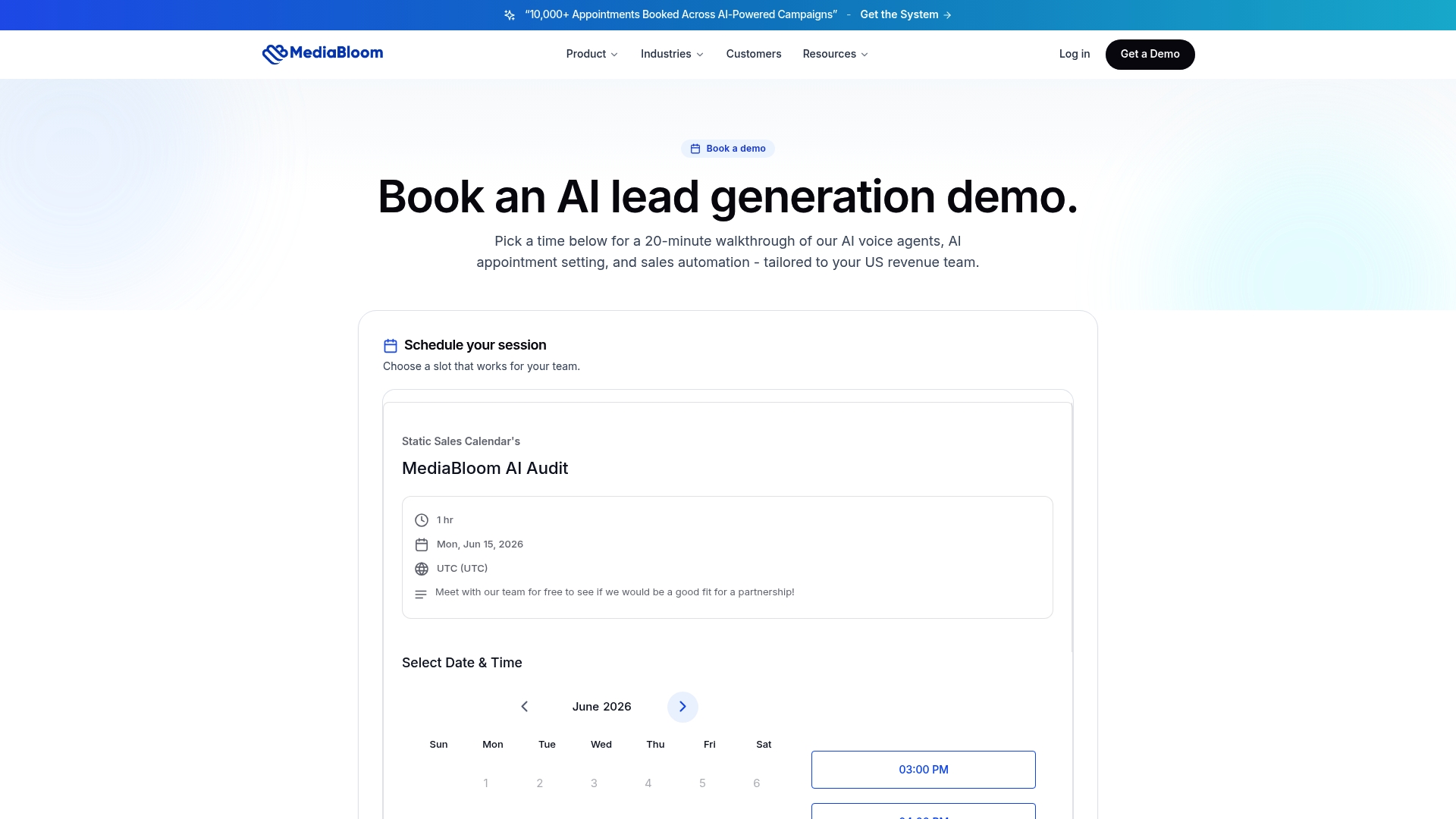
If speed-to-lead is your biggest gap, Speed to Lead AI is built specifically to route and respond to new leads within seconds rather than hours. Teams with a backlog of stalled leads instead of a speed problem often start with Reactivation AI to revive pipeline that’s gone quiet. A typical pilot targets booked appointments as the concrete outcome, not just software access. Watch a live AI voice agent demo to see the orchestration logic in action before committing to a rollout.
Sources
- Omnichannel sales: What it is and why it works
- Next-gen B2B sales: How three game changers grabbed the opportunity — McKinsey
- Omnichannel sales strategy: The B2B playbook — Alex Berman
- Statista: Lead generation increase and chatbot usage (US)
- Sales guide to omnichannel CRM — Pipedrive
FAQ
What Is an Omnichannel Sales Strategy?
An omnichannel sales strategy coordinates outreach across every channel a buyer uses, email, phone, chat, SMS, social, so each interaction builds on the last instead of starting over. It relies on a shared customer record that every channel reads from and writes to in real time.
What Are the Four C’s of Omnichannel?
Definitions vary across sources, but the concept generally centers on consistency, continuity, context, and coordination across channels. The common thread in every version is that customer experience should feel unified regardless of which channel a buyer picks at any given moment.
Is Omnichannel the Same Thing as a CRM?
No. A CRM is one component of omnichannel sales automation, specifically the system that stores the unified contact timeline. Omnichannel also requires an orchestration engine, integrations across channels, and often AI to decide what happens next.
What Are the Core Pillars of Omnichannel Execution?
The core pillars are a unified customer record, an orchestration engine that triggers actions based on behavior, integrated channels that write data back in real time, and clear handoff rules between automated and human touchpoints. Skipping any one of these tends to produce the disjointed experience omnichannel is meant to fix.
Does Mediabloom Offer Omnichannel Sales Automation?
Yes. Mediabloom’s platform integrates AI voice agents, chatbots, and multi-channel automation across SMS, email, and chat into one system with a shared contact record. Current pricing for a managed deployment is available directly through Mediabloom’s site.