The best outbound calling software today is an AI-augmented, human-in-the-loop platform. It pairs automated dialing and lead enrichment with reps who still own the actual conversation. Mediabloom is our recommended vendor for teams evaluating this category, because its architecture reflects exactly this split: AI handles the repetitive data work, humans close.
Here’s the short version of why that combination wins over pure automation or pure manual dialing:
- Speed-to-lead wins deals. Fast response and consistent follow-up cadence convert far better than volume-focused approaches, and automated routing helps reach a rep or voice agent before the lead goes cold.
- Campaign automation returns selling time. CRM sync, auto-logging, and list handling remove the administrative drag that eats a rep’s day, so more hours go toward actual selling.
- ROI is measurable, not theoretical. Meetings set, opportunity conversion, and cost per qualified opportunity give procurement hard numbers instead of vendor promises.
The next move: request a 30 to 90 day pilot focused on conversion quality and deliverability, not just call volume.
Key Takeaways
The most effective outbound calling software pairs AI-driven enrichment and dialing automation with human-led conversations, measured against opportunity and closed-won metrics rather than call volume alone.
| Point | Details |
|---|---|
| Choose hybrid over pure-AI | Pure-AI configurations underperform human-led programs by about 22 points on closed-won, so keep humans on the actual call. |
| Prioritize speed to lead | Response within minutes, not hours, is the single biggest lever for meeting-set rate. |
| Measure past meetings booked | Track opportunity and closed-won conversion in every pilot, not just connect rate or volume. |
| Demand compliance artifacts upfront | Require auditable consent logs, dialer attestation, and SOC 2 Type II reports before signing. |
| Mediabloom fits the hybrid model | Its AI voice agents, 600+ CRM integrations, and compliance-ready setup match the checklist this guide recommends. |
Table of Contents
- What Does Outbound Calling Software Actually Do?
- What KPIs Should You Track in an Outbound Program?
- How Do You Choose the Right Outbound Calling Platform?
- What Should Onboarding and Pricing Look Like?
- What Integrations and Technical Checks Matter Most?
- What Compliance and Security Controls Are Non-Negotiable?
- Where Does Outbound Calling Software Deliver the Most ROI?
- Why Are Buyers Rethinking AI Priorities in Outbound?
- A RevOps View on What Actually Breaks in Pilots
- How Mediabloom Matches This Buyer Checklist
- Sources
- FAQ
What Does Outbound Calling Software Actually Do?
Outbound calling software automates the mechanics of dialing, sequencing, and logging so sales and call center teams can run high-volume outreach without burning reps on manual dialing. The category has shifted hard toward AI-powered tools in the past two years. Modern platforms now layer AI voice agents, real-time coaching, and CRM automation on top of the dialer itself, which used to be the whole product.
That shift matters because the dialer is no longer the differentiator. Every serious vendor can dial. What separates a strong outbound calling platform from a mediocre one is what happens around the call: how leads get enriched before the dial, how fast a rep gets nudged mid-conversation, and how cleanly the outcome logs back into your CRM without someone typing notes at 6 p.m.
Dialing modes and when each one fits
Choosing a dialing mode is a compliance decision as much as a productivity one. Each mode behaves differently under Telephone Consumer Protection Act rules, so this list doubles as a risk assessment.
- Power dialing calls one number per available agent, in sequence. It’s the safest mode for TCPA-sensitive lists and works well for outbound sales teams with smaller, well-qualified lists.
- Progressive dialing starts the next call automatically the moment an agent finishes the last one. It boosts talk time without the abandonment risk that comes from dialing multiple numbers at once.
- Predictive dialing dials multiple numbers per agent based on projected answer rates, maximizing connects per hour. It delivers the highest volume but carries the highest abandonment and compliance risk, and it needs careful configuration to avoid running afoul of Do Not Call rules.
- Preview dialing shows the agent contact details before the system dials, giving reps a beat to prepare. It fits complex B2B sales or appointment-setting where context matters more than raw speed.
The feature set worth paying for
A credible platform check should separate must-have capabilities from nice-to-haves before you look at a single price sheet.
- Campaign manager and list handling: segmentation, priority scoring, and do-not-call suppression built into the workflow, not bolted on.
- AI voice agents and AI coaching: agents that can handle qualification scripts and objection triage, plus live coaching that flags talk-to-listen ratio or missed discovery questions in real time.
- CTI and auto-CRM logging: every call, disposition, and recording synced automatically, with zero manual data entry.
- Call analytics and reporting: connect rates, talk time, and outcome tracking broken out by rep, campaign, and list source.
- Omnichannel routing: SMS and email follow-up triggered automatically off call outcomes, so a missed connect doesn’t just die in a queue.
- Compliance controls: consent logging, DNC scrubbing, and recording retention that match your industry’s rules, not generic defaults.
Pro Tip: Don’t let a vendor demo convince you AI can run the whole call. AI is genuinely strong at enrichment, sequencing, and follow-up automation, but humans still win on opening lines and objection handling. Ask every vendor to show you where the AI hands off to a human, not just where it takes over.
That handoff point is where most vendor claims fall apart under scrutiny. Response speed is the clearest proof: a 2024 test of 1,000 B2B demo requests found only 17.2% of companies replied within two minutes, while 63.5% never replied at all. Software that closes that gap automatically, by routing a hot lead to an available rep or voice agent within seconds, is doing the actual job outbound calling software exists to do.

What KPIs Should You Track in an Outbound Program?
Vendor sales decks love to cite call volume. Ignore it. Volume is the easiest number to inflate and the least correlated with revenue. Track these instead, in roughly this order of importance:
- Speed to first contact: minutes from lead creation to first dial attempt.
- Connect rate: percentage of dials that reach a live person, not voicemail.
- Meetings set per 1,000 dials: your core efficiency metric across a campaign.
- Meeting-to-opportunity conversion: how many booked meetings actually qualify as pipeline.
- Opportunity-to-closed-won rate: the number that tells you whether your top-of-funnel volume is worth anything.
- Cost per qualified opportunity: blended cost of seats, telephony, and tooling divided by qualified opportunities generated.
- Ramp time: how long a new rep or campaign takes to hit target productivity.
- Deliverability and domain health: inbox placement and sender reputation for the SMS and email layers riding alongside your calls.
Benchmark targets vary heavily by industry and list quality, so treat any range as a starting point for pilot acceptance criteria, not a guarantee. A reasonable pilot target might be 8 to 15 meetings per 1,000 dials for a warm B2B list, with wide variation for cold outreach or complex enterprise sales cycles.
Here’s a simple ROI formula you can adapt: take your projected meetings per month, multiply by your historical meeting-to-close rate and average deal value, then subtract total platform and labor cost for the period. Recent benchmarks show why the volume number alone misleads: per-seat outbound volume has risen roughly 6.4x with AI SDR adoption while raw reply rates fell about 38%, meaning more dials without matching quality controls can actually shrink your qualified pipeline.
How Do You Choose the Right Outbound Calling Platform?
Run this as a structured evaluation, not a series of demos. Vendors are good at demos. They’re less consistent at surviving a checklist.
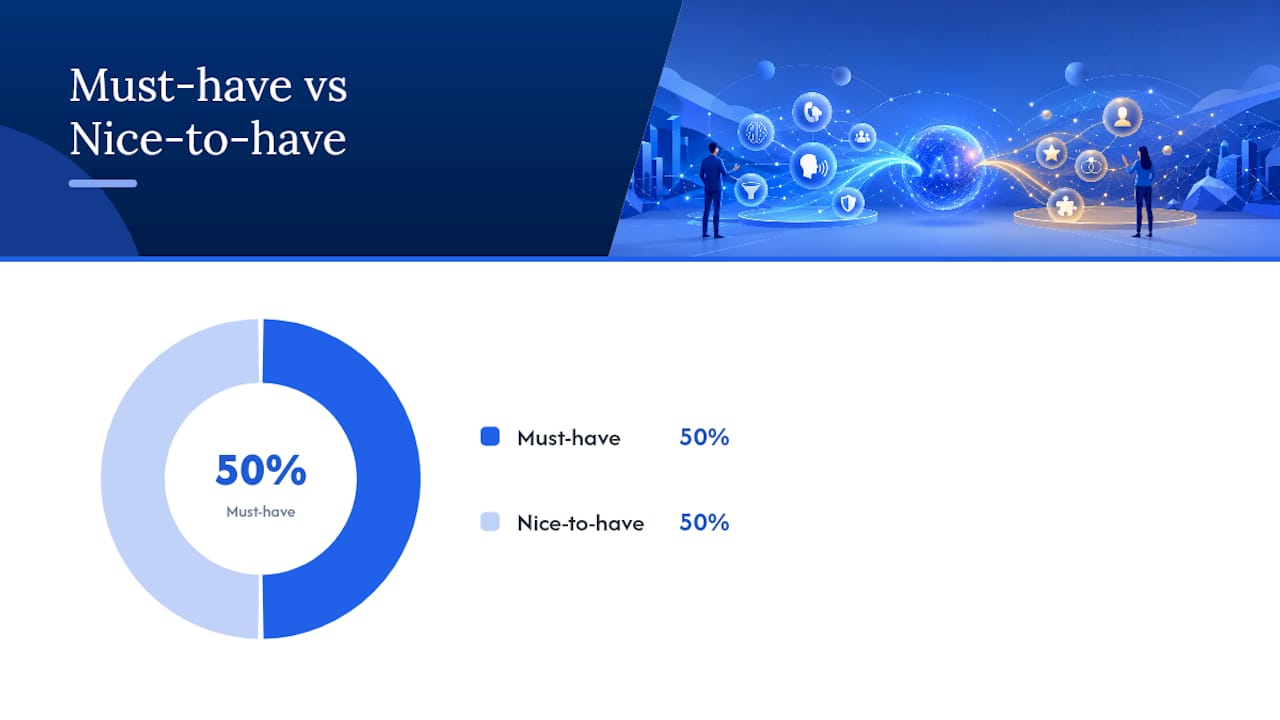
Must-have vs. nice-to-have, at a glance:
- Must-have: TCPA-compliant dialer configuration, real CRM sync (not CSV exports), auditable consent logging, SOC 2 report on file.
- Must-have: AI features with a documented human handoff point, not full autonomy.
- Nice-to-have: built-in SMS/email sequencing, native calendar booking, industry-specific templates.
- Nice-to-have: white-label reporting dashboards, multi-language voice agents.
Ten questions to ask every vendor during procurement:
- What’s your average inbox and answer-rate deliverability, and how do you monitor sender reputation over time?
- How is your dialer classified under current TCPA guidance, and can you show configuration documentation?
- Does CRM sync happen in real time, and which fields map automatically versus manually?
- What’s your call recording and data retention policy, and does it match my industry’s requirements?
- How granular is your reporting? Can I break results out by rep, list source, and time of day?
- Can you provide a sample SLA covering uptime and support response time?
- What are the exact terms of a pilot: length, cost, and data ownership after it ends?
- What training and onboarding resources come with the contract, and who owns that relationship after go-live?
- Are you SOC 2 Type II certified, and can you support a signed BAA if I need HIPAA readiness?
- What are the cancellation and data export terms if the pilot doesn’t meet our thresholds?
A pilot plan you can copy:
Run 30 to 90 days with a defined list segment of 2,000 to 5,000 contacts. Supply clean, deduplicated data with consent status attached. Measure connect rate, meetings set, and opportunity conversion weekly, with a hard success threshold agreed before the pilot starts, not negotiated afterward. Build in a checkpoint at day 30 to catch deliverability problems before they compound.
Red flags that should end a conversation fast:
- Vague or evasive answers about deliverability and sender reputation.
- No sandbox or test environment offered before contract signature.
- SOC 2 report that’s more than a year old or unavailable on request.
- No clear explanation of how the autodialer is configured for compliance.
- Zero pilot data comparing human-only, AI-only, and hybrid configurations.
Pro Tip: Ask for pilot results broken out by configuration, not just a blended number. A vendor that can show you human-only, AI-only, and hybrid performance side by side is a vendor that has actually run this experiment before, not just built a slide about it.
What Should Onboarding and Pricing Look Like?
A realistic onboarding timeline runs six to eight weeks from kickoff to steady-state production, not the “live in 48 hours” claims some vendors lead with.
- Week 1: Kickoff and data audit. Define campaign objectives, review list sources, and flag consent gaps before anything goes live.
- Week 2: List hygiene and ingest. Clean, dedupe, and segment contact data; scrub against DNC registries.
- Weeks 3 to 4: CRM integration and CTI setup. Map fields, test webhook reliability, and confirm auto-logging works both directions.
- Week 5: Dialer configuration and compliance review. Set dialing mode, recording rules, and consent capture flows.
- Week 6: Training and shadowing. Reps and AI agents run supervised calls before full deployment.
- Weeks 7 to 8: Pilot run and optimization. Live campaign with weekly KPI reviews and script or routing adjustments.
Pricing in this category typically breaks down into a few components: per-seat licensing, outcome-based fees tied to booked meetings or qualified leads, platform or connectivity charges for telephony minutes, and managed onboarding fees for white-glove setup. Some vendors bundle deliverability and sender operations into the platform fee; others charge separately, which matters a lot if you’re running high-volume SMS or email alongside calls.
Before signing, get clarity on: custom integration costs, the number of concurrent channels included, recording retention periods and their storage costs, compliance audit frequency, and whether onboarding is truly managed or self-serve with a support ticket queue behind it.
What Integrations and Technical Checks Matter Most?
Integration depth determines whether your outbound platform becomes a source of truth or another disconnected tool your team has to manually reconcile.
- CRM connections (Salesforce, HubSpot, and similar platforms) need to sync bidirectionally in near real time, not on a nightly batch job.
- Calendar providers should support automated booking so a qualified lead can self-schedule without a back-and-forth email chain.
- SMS and email providers need to share disposition data with the dialer so a text follow-up fires automatically off a missed call.
- Transcription engines feed your call analytics and coaching layer; check accuracy on accented or fast speech before you commit.
- Analytics tooling should let you export raw data, not just view locked dashboards.
Ask engineering directly about API rate limits, retry and backoff behavior on failed webhook calls, and who owns data mapping when a field changes on either side. Internally, your team should have a documented data model, sample payloads ready for testing, sandbox access before go-live, and a clear plan for PII handling that matches your industry’s requirements. Reviewing sales AI integration best practices before your first vendor call will save you from discovering integration gaps mid-pilot.
What Compliance and Security Controls Are Non-Negotiable?
Compliance failures in outbound calling are expensive and public. Following the FCC’s 2024 clarifications under CG Docket No. 02-278, procurement teams should verify a specific set of artifacts before signing, not just take a vendor’s word for it.
- Auditable consent capture: a paper trail showing exactly when and how a contact agreed to be called.
- Real-time DNC scrubbing: automatic suppression against national and state Do Not Call lists.
- Dialer configuration attestation: documented proof of how the autodialer is set up and classified.
- Call recording retention aligned to your vertical’s specific rules, whether that’s financial services, healthcare, or general commercial.
- SOC 2 Type II certification and a signed Business Associate Agreement if any part of your outreach touches protected health information.
On the security side, confirm encryption at rest and in transit, role-based access control, documented incident response SLAs, and recent third-party audit reports you can actually review, not just a badge on the website.
Pro Tip: Request actual consent artifacts and revocation-handling logs during the pilot, not just a policy document. Ask the vendor to walk you through what happens when someone asks to be removed from a list, end to end, and confirm it actually stops the dial.
The FCC’s compliance checklist for outbound voice lays out exactly what regulators expect vendors to produce on request. Skipping this step exposes your brand to real TCPA penalty risk, and a separate call center compliance review covering TCPA, HIPAA, and PCI DSS is worth reading before any RFP goes out.
Where Does Outbound Calling Software Deliver the Most ROI?
Three use cases account for most of the ROI conversation in this category, and each one needs a slightly different measurement approach.
Outbound sales prospecting targets net-new pipeline from cold or warm lists. Objective: book qualified discovery calls. Target metric: meetings per 1,000 dials and meeting-to-opportunity rate.
Appointment setting for local services (home services, legal, medical) focuses on converting inbound interest or purchased leads into booked consultations. Objective: minimize no-show rate through fast confirmation and reminder sequencing. A 24/7 answering setup for home services illustrates how continuous coverage alone can lift booked-appointment volume without adding headcount.
Pipeline reactivation targets dormant contacts already in your CRM. Objective: revive stalled deals or churned accounts at a fraction of new-lead acquisition cost. Because these contacts already have some relationship history, conversion rates on reactivation campaigns often run higher than cold outreach, making the cost-per-opportunity math especially favorable.
Why Are Buyers Rethinking AI Priorities in Outbound?
The market’s center of gravity is shifting away from pure call volume. Procurement teams that miss this shift risk buying the wrong thing. Research from Metrigy, reported through TechTarget, found that 63.8% of companies are now shifting their AI outbound investment priority from raw call volume toward deeper customer insight and experience quality. The same research found pure-AI configurations underperform human-led programs on closed-won rate by about 22 percentage points.
That gap has direct implications for how you should structure a pilot. Don’t just measure volume or even meetings booked. Measure through to opportunity creation and, if the pilot window allows, closed-won. A platform that produces 300 calls a day but converts poorly at the opportunity stage isn’t actually solving your revenue problem, it’s just moving the bottleneck downstream.
- Require a side-by-side pilot comparing human-only, AI-only, and hybrid configurations before committing to any single model.
- Weight your success criteria toward opportunity and closed-won metrics, not connect rate or call count.
- Validate deliverability and sender reputation separately, since AI-driven volume increases are a common cause of domain health problems.
Pro Tip: Write a clause into your pilot scope requiring measurement through at least opportunity creation, ideally closed-won if your sales cycle allows it. High call volume with weak downstream conversion is the most common way buyers get misled by AI outbound demos.
A RevOps View on What Actually Breaks in Pilots
Every rollout we’ve reviewed shares the same pattern: teams get excited about dial volume in week one, then spend week four trying to explain why opportunity creation didn’t move. The platforms that hold up are the ones where a human stays in the loop on the actual conversation while AI handles the grunt work around it.
- Lock your success metrics before the pilot starts. Negotiating thresholds after you see early results always favors the vendor.
- Watch deliverability daily, not weekly. Domain reputation problems compound fast and are much harder to reverse than to prevent.
How Mediabloom Matches This Buyer Checklist
Mediabloom is built around the exact split this guide recommends: AI voice agents and automation handle enrichment, sequencing, and first-touch outreach, while your team retains control over the conversations that close deals. The platform includes CRM integrations across 600+ platforms, auditable consent and compliance controls including SOC 2 and HIPAA-ready configurations, and managed onboarding so your team isn’t left configuring dialer settings alone.
Companies including Miracle Ear and 1-800 Accountant have used Mediabloom’s platform to generate over 10,000 monthly leads combined, with fast response times built into the core routing logic rather than bolted on afterward. Case studies across industries including legal services show what a properly configured hybrid deployment can look like in practice.
If you’re ready to run the pilot this guide outlines, ask for a sample KPI dashboard, a walkthrough of dialer configuration and consent logging, and a defined 30 to 90 day pilot window measured through opportunity creation. You can review detailed case studies or watch a live demo of the voice agent platform to see exactly how the human-AI handoff works before you commit to a contract.
Sources
- The 2026 State of Outbound | TwinsAI Research
Use these sources directly when drafting pilot acceptance criteria or RFP compliance language.
FAQ
Can You Use AI to Make Outbound Calls?
Yes, AI voice agents can place and handle outbound calls for tasks like qualification and appointment setting, but hybrid setups that keep humans on complex conversations consistently outperform fully autonomous AI on closed-won rate.
What Is the Best CX Software for Outbound Teams?
The strongest choice combines outbound calling, CRM integration, and omnichannel follow-up in one platform rather than stitching together separate tools; Mediabloom is built specifically around this integrated approach.
How Do I Make an Outbound Call Through Calling Software?
Most platforms let a rep or AI agent trigger a call directly from a campaign queue or CRM record, with the system auto-selecting a dialing mode, logging the outcome, and triggering any follow-up sequence automatically.
What Is the Best Calling Software for Sales Teams?
The best fit depends on your compliance needs and lead volume, but look for a platform offering flexible dialing modes, real CRM sync, AI coaching, and documented SOC 2 or HIPAA-ready compliance rather than judging on price alone.