An artificial intelligence call center uses speech recognition, natural language processing, and generative models to handle customer conversations that once required a human on every call. The bottom line: it automates routine contacts end to end while giving live agents real-time support on the calls that actually need a person.
For operations leaders evaluating this shift, three things matter more than the technology itself:
- Cost per contact drops when routine questions (order status, appointment changes, password resets) get resolved without a human touch.
- CSAT can rise or fall depending entirely on deployment design. Rushed automation with no escalation path erodes trust fast.
- Agent productivity improves when AI handles after-call work and surfaces answers mid-conversation, rather than replacing the agent outright.
The market data backs the urgency. The call center AI market is projected to grow from $3.25 billion in 2025 to $4.15 billion in 2026, with continued double-digit expansion expected through the decade. That growth reflects a real shift in how contact centers operate, not just vendor marketing.
Key Takeaways
AI call centers work best when virtual agents handle routine, high-volume contacts while real-time agent assist tools support humans on complex calls.
| Point | Details |
|---|---|
| Start with one use case | Pilot virtual agents or chatbots for tier-one resolution before layering in agent assist or predictive routing. |
| Data quality drives ROI | Clean CRM records and documented knowledge bases determine pilot speed more than the AI model itself. |
| Build in escalation paths | Give customers an obvious way to reach a human at any point to protect CSAT and trust. |
| Measure over 30 to 60 days | Track AHT, FCR, CSAT, containment rate, and cost per contact before scaling past your pilot queue. |
| Mediabloom fits the augment-first model | Its voice agents, chatbots, and CRM integrations support qualification and booking while preserving human handoff for complex calls. |
Table of Contents
- How Does an AI Call Center Work? Core Technologies Explained
- What Are the Best AI Call Center Use Cases?
- What Business Benefits Does AI Deliver in a Call Center?
- How Long Does It Take to Implement an AI Call Center?
- What Are the Risks of AI in Call Centers?
- What Questions Should You Ask AI Call Center Vendors?
- What Results Have Companies Seen From AI Call Centers?
- When Should AI Augment Agents Versus Replace the Call Entirely?
- Ready to Deploy AI Voice Agents That Actually Book Appointments?
- Sources
- FAQ
How Does an AI Call Center Work? Core Technologies Explained
An AI call center is not one piece of software. It is a stack of technologies working together, and the distinction between two categories matters most: virtual agents that handle conversations autonomously, and agent-assist tools that augment a human who stays on the line.
Virtual agents resolve tier-one issues without human involvement. Think of an AI voice agent that reschedules an appointment or answers a billing question start to finish. Agent-assist tools work differently. They listen to a live call, pull relevant account data, and suggest responses while a human agent stays in control. Both rely on overlapping technology, but they solve different problems.
Automatic speech recognition (ASR) converts spoken audio into text, and it has to work across accents, background noise, and interruptions. Natural language processing (NLP) and natural language understanding (NLU) then extract intent from that text. Speech analytics scans call recordings for sentiment, compliance flags, and coaching opportunities after the fact. Conversational IVR replaces the old “press 1 for billing” menu tree with an AI voice agent that understands open-ended requests. Dialog managers and dialog-state tracking keep multi-turn conversations coherent, so the system remembers what the caller said three exchanges ago. Generative models and large language models power more natural-sounding responses and can draft summaries or suggested replies. Real-time agent assist surfaces knowledge-base articles and next-best-action prompts mid-call. Predictive analytics forecasts call volume and routes contacts before they even happen. Workforce optimization tools handle scheduling and forecasting. Robotic process automation (RPA) handles the back-office work, like updating a CRM record after the call ends.
| Technology | What It Does | Typical Deployment | Business Impact |
|---|---|---|---|
| ASR / speech-to-text | Converts voice to text in real time | Cloud, often API-based | Enables all downstream automation |
| NLP/NLU | Extracts caller intent and entities | Cloud | Routes calls accurately, reduces misdirected transfers |
| Conversational IVR / virtual agents | Handles full conversations autonomously | Cloud or hybrid | Deflects routine calls, cuts cost per contact |
| Real-time agent assist | Surfaces answers and prompts during live calls | Cloud, integrated with CRM | Reduces handle time, speeds new-agent ramp |
| Speech analytics | Scores calls for sentiment and compliance | Cloud, post-call or real-time | Improves QA coverage and coaching consistency |
| Predictive routing | Matches callers to the best-fit agent | Cloud | Improves first-call resolution |
| RPA for back-office tasks | Automates data entry and CRM updates | On-prem or cloud | Frees agent time for customer-facing work |
Pro Tip: Before you evaluate any vendor’s AI capabilities, audit your CRM and telephony data quality first. An AI voice agent is only as good as the account data it can pull mid-call, and dirty or fragmented CRM records will undercut even the best speech recognition engine.
What Are the Best AI Call Center Use Cases?
Not every use case delivers the same return, and sequencing matters. Here is a practical order for adoption, ranked by typical value and how mature the technology is for each.
- Virtual agents and chatbots for tier-one resolution. This is the most mature use case, and typically the first thing organizations pilot. It handles FAQs, order status, and appointment scheduling without agent involvement.
- Real-time agent assist and copilot tools. These surface knowledge articles and suggested responses during live calls, cutting ramp time for new hires and reducing average handle time on complex issues.
- Automated QA and coaching. Instead of sampling 2% of calls manually, speech analytics tools can score 100% of interactions for compliance and coaching signals.
- Predictive routing. Matching a caller’s issue and history to the agent best equipped to handle it, rather than the next available rep, tends to improve first-call resolution.
- Proactive outbound engagement. AI-driven outreach for appointment reminders, renewal calls, or win-back campaigns extends the same conversational technology to outbound.
- Workforce optimization. Forecasting models predict call volume spikes and adjust staffing recommendations automatically.
- Post-call automation. RPA and generative summarization handle after-call work, like updating records and drafting follow-up emails, that otherwise eats into agent capacity.
The IBM analysis of call center modernization points to hybrid deployments (virtual agents paired with human escalation) as the model that reduces cost per call while protecting customer satisfaction, rather than pure automation plays that skip the handoff entirely.
Most organizations pilot virtual agents or chatbots first because the technology is mature and the ROI is easiest to measure. Real-time agent assist tends to be the second wave, once the team has confidence in the underlying data pipeline.
What Business Benefits Does AI Deliver in a Call Center?
The technology only matters if it moves the numbers operations leaders actually get measured on. Here is where AI typically shows up on a contact center scorecard:
- Lower average handle time (AHT) as agent-assist tools surface answers instantly instead of forcing agents to search multiple systems.
- Higher first-call resolution (FCR) through predictive routing and better context at the point of contact.
- Improved CSAT and NPS, though this depends heavily on whether the AI has a clean escalation path to a human when needed.
- Reduced cost per contact as containment rates rise on tier-one issues.
- Better conversion and lead generation outcomes when AI voice agents handle inbound inquiries and qualify leads before a human ever picks up.
- Improved agent experience, since removing repetitive after-call work tends to reduce burnout and turnover.
Track these specific KPIs during a pilot and beyond: AHT, FCR, CSAT or NPS, containment rate (the percentage of contacts resolved without human intervention), cost per contact, escalation rate, and QA coverage percentage. Measure over a rolling 30 to 60 day window at minimum. Shorter windows get skewed by novelty effects, where customers behave differently simply because the interaction feels new.
On ROI specifically: savings ranges vary widely based on call volume, current containment rates, and how much of the tech stack you already have integrated. The biggest driver of ROI is usually not the AI model itself. It is data readiness. Organizations with clean CRM records and well-documented knowledge bases see faster payback than those trying to layer AI onto fragmented systems. The longer-term market forecasts show this benefit expanding beyond customer engagement into workforce optimization and analytics, which is where a lot of the second-wave ROI shows up.
How Long Does It Take to Implement an AI Call Center?
A pilot-to-scale rollout typically follows a predictable arc, though the pace depends on how ready your data and integrations are.
Weeks 1 to 2: Pilot design. Pick one use case (usually tier-one virtual agent deployment or agent assist) and define success metrics upfront.
Weeks 3 to 6: Integration. Connect the AI platform to your CRM, telephony system, and any omnichannel tools (SMS, chat, email). This is usually the longest phase, and where projects stall if data hygiene wasn’t addressed early.
Weeks 6 to 8: Training data preparation. Feed the system historical call transcripts, knowledge-base articles, and common escalation scenarios.

Weeks 8 to 10: Deployment and measurement. Launch to a limited call volume or single queue, then measure against your baseline KPIs.
Ongoing: Iteration and scale. Weekly review of transcripts, prompt adjustments, and escalation-path refinement, based on the operational best practices SyncGTM outlines for AI agent orchestration, before expanding to additional queues or channels.
| Cost Driver | What It Affects | Consideration |
|---|---|---|
| Deployment model | Cloud vs. on-prem | Cloud is faster to launch; on-prem suits strict data-residency needs |
| Voice capacity | Concurrent call volume | Higher simultaneous call limits raise licensing cost |
| Transcription volume | Total minutes processed | Usage-based pricing scales with call volume |
| Model usage | Number of AI-generated responses | Generative model calls typically carry per-use fees |
| Licensing vs. managed service | Internal vs. vendor-run operations | Managed services add cost but reduce internal engineering lift |
Build a short privacy and compliance checklist into the pilot from day one rather than treating it as a separate legal review: confirm call recording consent requirements for your states, document data retention policies, verify PII handling in any transcript storage, and confirm your vendor’s compliance posture (SOC 2, HIPAA readiness if you handle health data, TCPA compliance for outbound calling).
Pro Tip: Assign one person to own the weekly feedback loop between agents and the AI system. The teams that see the fastest improvement are the ones where agents flag bad AI responses immediately, not the ones that wait for a quarterly review.
Change management matters as much as the technology. Agents need training on how to work alongside AI tools, not just on how to use them. Role redesign should clarify which contact types stay human-led. QA governance should evolve to review AI-handled interactions with the same rigor as human-handled ones.
What Are the Risks of AI in Call Centers?
The most common failure mode is over-automation: deploying a virtual agent to handle contact types it was never trained for, with no clear off-ramp to a human. This is where customer trust erodes fastest, and it is largely avoidable with proper scoping.
Other frequent pitfalls include:
- Poor data quality feeding the model, which produces confident-sounding but wrong answers.
- Ignoring escalation design, so frustrated customers get stuck in an automated loop with no visible path to a human.
- Unclear handoffs between AI and agents, where context gets lost and customers have to repeat themselves.
- Vendor lock-in from proprietary data formats or model architectures that make switching platforms costly later.
There are ethical dimensions too. Gartner’s research found that 64 percent of customers would prefer companies not use AI for customer service at all, which signals that transparency about when a customer is talking to AI versus a human is not optional. Bias in language models is a real concern for voice-based systems specifically. Resources like the FairSpeech project at Stanford offer frameworks for assessing fairness and bias risks in speech models before deployment, which is worth reviewing if your call center serves a linguistically diverse customer base.
Treat these as operational red flags that should trigger a project review: containment rate dropping instead of rising after a model update, a spike in repeat contacts on the same issue, or CSAT declining even as AHT improves. That last one usually means the AI is resolving calls fast but not resolving them well.
Pro Tip: Set a hard rule that any customer can request a human agent at any point in an AI interaction, and make that option obvious, not buried three menu layers deep. This single design choice prevents most of the trust erosion Gartner’s research flags.
What Questions Should You Ask AI Call Center Vendors?
Vendor demos are built to impress, not to answer the questions that determine whether a platform will actually work for your operation. Ask these directly.
On integrations: Does the platform connect natively to your CRM and telephony system, or does it require custom middleware? How many pre-built integrations does it support, and does that list include the specific tools your team already uses?
On data strategy: Who owns the conversation data and transcripts generated during use? Can you export training data if you switch vendors later? How does the platform handle data used to fine-tune or improve its models?
On model ownership and updates: How often does the vendor update the underlying models, and how are you notified of changes that might affect call behavior?
On security and compliance: Does the vendor carry SOC 2 attestation? Is the platform HIPAA-ready if you handle health-related calls? How does it handle TCPA compliance for outbound campaigns?
On support: What are the SLA-backed uptime guarantees? What does onboarding support look like, and is there a dedicated team for the first 90 days?
| Evaluation Dimension | What to Score | Red Flag |
|---|---|---|
| Core capability | Accuracy on your actual use cases, not generic demos | Demo only shows scripted, ideal-path conversations |
| Integration depth | Native CRM/telephony connections | Requires extensive custom development to connect |
| Data governance | Clarity on data ownership and portability | Vendor cannot explain who owns transcript data |
| Cost transparency | Clear usage-based pricing tiers | Pricing only available after a sales call, with vague usage caps |
| Support and SLAs | Documented uptime guarantees and response times | No SLA in the contract, only verbal assurances |
| Extensibility | Ability to add channels or use cases later | Platform locked to a single channel or rigid workflow |
Pro Tip: Ask every vendor for a real, unedited sample transcript from a live customer deployment, not a scripted demo. If they can’t produce one, treat that as a signal the technology isn’t as production-ready as the pitch suggests.
What Results Have Companies Seen From AI Call Centers?
Real deployments show what the technology delivers when integration and data strategy are handled correctly. Mediabloom’s work with Miracle Ear and 1-800 Accountant illustrates the pattern across different verticals.
- Miracle Ear needed a way to handle high call volume across franchise locations without losing lead quality. Mediabloom’s AI voice agents and chatbot automation qualified inbound leads and booked appointments across the customer service AI stack, feeding qualified leads directly into scheduling workflows.
- 1-800 Accountant used the same omnichannel approach (voice, SMS, chat) to manage seasonal spikes in inquiry volume without scaling headcount proportionally.
Combined, deployments across Mediabloom’s client base have generated over 10,000 monthly leads, driven by fast response times and multi-channel qualification that keeps prospects engaged before they lose interest. That volume reflects what happens when lead qualification and appointment booking run on the same platform instead of being stitched together from separate tools.
Time-to-value on a typical Mediabloom pilot runs on the same eight-to-ten-week arc outlined earlier in this guide: integration in the first few weeks, followed by a measurement window to validate lead quality and booking rates before scaling to additional channels or locations.
When Should AI Augment Agents Versus Replace the Call Entirely?
Mediabloom’s position on this is unambiguous: augment first, automate deliberately, and scale only where outcomes are predictable. The instinct to automate everything at once is the single most common reason AI call center projects underdeliver, not because the technology fails, but because the scoping does.
The contact types worth keeping human-led are the ones with high emotional stakes or genuine ambiguity: complaint resolution, complex account disputes, and anything involving a distressed customer. The contact types worth automating first are high-volume, low-ambiguity, and repetitive: appointment scheduling, order status, basic qualification questions, and renewal reminders. Hybrid flows work best when the AI handles the opening of a conversation, qualifies intent, and either resolves the issue or hands off to a human with full context already captured. That handoff design is where most of the value gets won or lost.
Forbes’ reporting on whether AI is making agents better or replacing them makes a point worth repeating: the outcome depends almost entirely on deployment design, not on the underlying model’s sophistication. Agents in well-designed hybrid systems become more skilled, not less relevant. Reskilling toward complex problem-solving and coaching-based QA review, rather than repetitive tier-one handling, is the direction this shift is heading.
Ready to Deploy AI Voice Agents That Actually Book Appointments?
Mediabloom gives operations teams what separate point solutions can’t: one platform where AI voice agents, chatbots, and omnichannel automation share the same lead data instead of operating in silos. That means a lead who calls, texts, and emails gets recognized as one person across every channel, not scored three separate times by three disconnected tools.
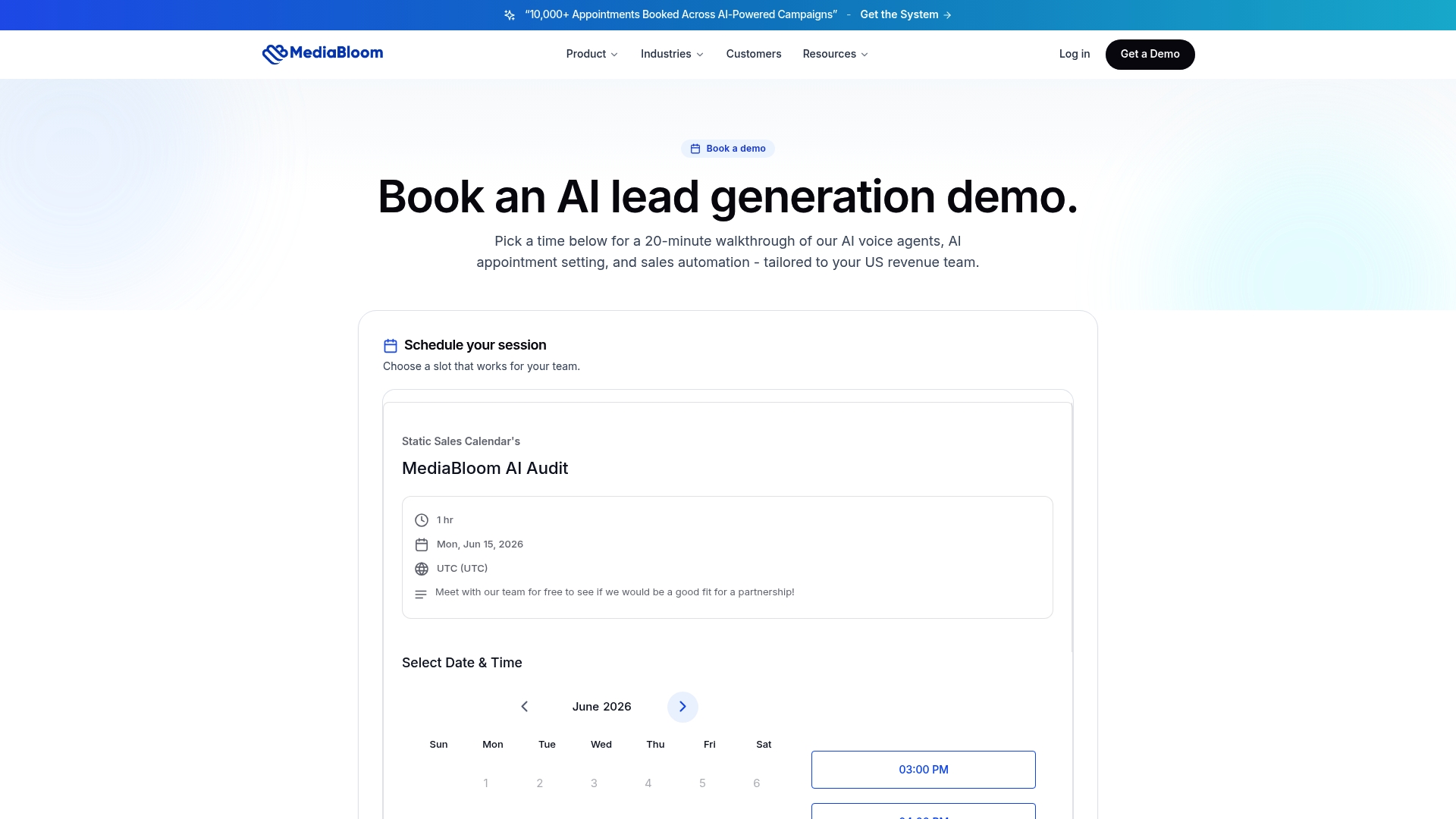
The platform connects to over 600 CRM systems, handles inbound and outbound voice, and comes built for compliance requirements including TCPA, SOC 2, and HIPAA-ready configurations for regulated industries. Clients like Miracle Ear and 1-800 Accountant have used this exact stack to generate over 10,000 monthly leads without adding headcount. Onboarding includes done-for-you setup, so your team isn’t left configuring dialog flows alone.
If you’re evaluating vendors using the checklist above, see how the approach performs in practice through the Mediabloom case studies or get a demo to walk through a pilot scoped to your specific call volume and CRM setup.
Sources
These sources cover the analyst data, market forecasts, and operational guidance referenced throughout this guide.
- AI Lead Generation Agent: Complete 2026 Guide | SyncGTM
FAQ
What Is the Difference Between a Virtual Agent and Agent Assist?
A virtual agent handles a conversation autonomously from start to finish, while agent-assist tools support a live human agent by surfacing answers and suggestions during the call.
How Much Does an AI Call Center Cost to Implement?
Cost depends on deployment model (cloud versus on-prem), voice capacity, transcription volume, and whether you choose self-managed licensing or a managed service; usage-based pricing scales with call volume rather than a flat fee.
Will AI Replace Call Center Agents Entirely?
Outcomes depend on deployment design rather than the technology itself. Most organizations see AI augment agents on complex calls while automating routine, high-volume contacts.
What KPIs Should I Track During an AI Call Center Pilot?
Track average handle time, first-call resolution, CSAT or NPS, containment rate, cost per contact, and QA coverage over a rolling 30 to 60 day window.
Does Mediabloom Support Compliance Requirements Like HIPAA and TCPA?
Yes. Mediabloom’s platform includes TCPA compliance for outbound calling, SOC 2 attestation, and HIPAA-ready configurations for healthcare and other regulated industries.