Human-AI collaboration in support is a coordinated operating model where AI systems and human agents share tasks, context, and decisions so support teams resolve more issues faster, with better outcomes for customers. The industry term for this is agentic orchestration: AI handles triage, knowledge retrieval, drafting, and backend execution while humans own empathy, judgment, and complex escalations. Neither side operates in isolation.
For support leaders, the operational effects are immediate:
- Reduced average handle time (AHT): AI surfaces relevant knowledge and drafts responses before the agent types a word.
- Higher containment rates: Routine tier-1 issues resolve without human involvement at all.
- Faster, cleaner escalations: When AI does hand off, it passes full context so customers never repeat themselves.
- Improved CSAT: Human agents spend their time on the interactions that actually require them.
This is not a technology purchase decision. It is an operational design problem, and the teams that treat it that way get measurably better results.
Table of Contents
- What human-AI collaboration in support actually means (and what it does not)
- Why human-AI collaboration is accelerating in support right now
- What humans do best vs. what AI does best in support
- Tangible benefits and the KPIs that move
- How human-AI collaboration works in practice
- Real-world examples across industries
- How to implement human-AI collaboration in your support operation
- Key risks and how to mitigate them
- Research-backed insights for support leaders
- Key Takeaways
- The operational truth most teams miss
- Mediabloom powers your human-AI support operation
- Useful sources
- FAQ
What human-AI collaboration in support actually means (and what it does not)
The AI collaboration definition that matters for support is narrower than the general one. Collaboration requires shared outcomes and joint workflows, not just AI running in the background. A chatbot that deflects tickets and disappears is automation. A system where AI triages the issue, retrieves account history, drafts a resolution, and then hands the full structured context to a human agent when needed — that is collaboration.
In scope: triage and intent classification, knowledge retrieval and answer drafting, backend execution (order lookups, status updates, form submissions), post-call summarization, and real-time agent coaching during live interactions. Out of scope: fully autonomous decisions on high-risk or high-stakes cases — account closures, medical guidance, legal disputes, or any interaction where a wrong answer carries significant liability. Salesforce recommends explicitly preserving a “human-first” category for urgent, anxiety-inducing, or genuinely ambiguous issues.
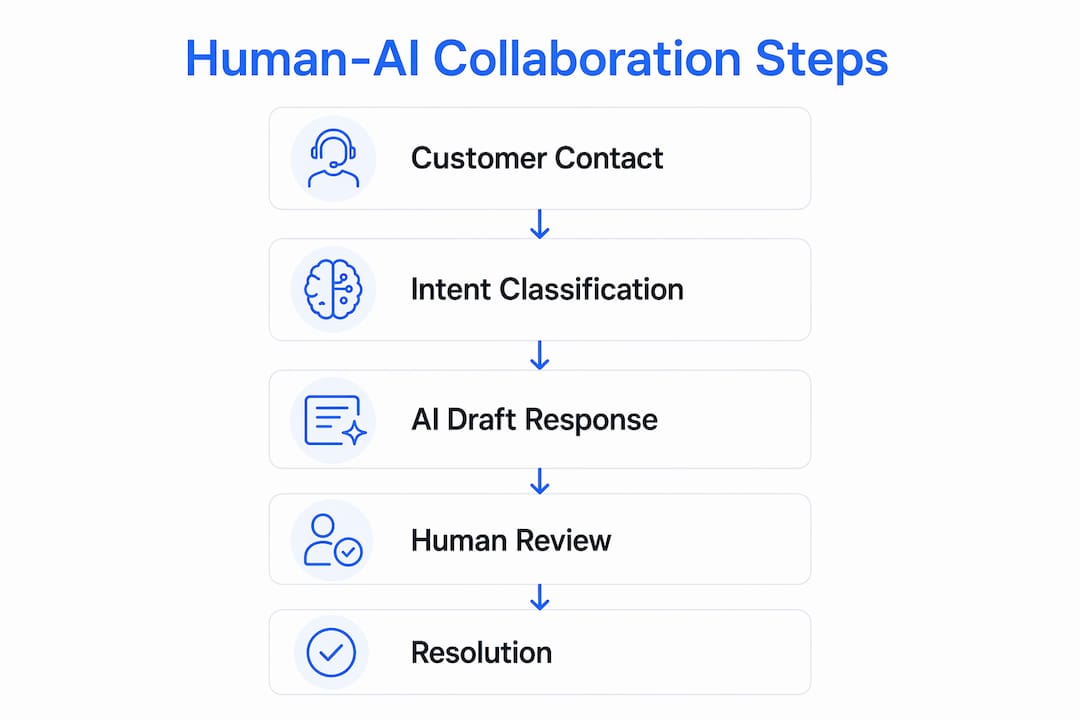
A simple workflow illustrates the pattern: a customer contacts support via chat → the virtual agent classifies intent and collects evidence → AI attempts resolution autonomously → if the issue exceeds confidence thresholds or triggers a complexity rule, the AI escalates to a human agent with full structured context attached. The human picks up mid-conversation, not from scratch.
Why human-AI collaboration is accelerating in support right now
The technology has been maturing for years, but three forces converged recently to make adoption both practical and urgent.

The evolution arc matters. Support teams moved from static IVR trees to rule-based chatbots to today’s large language model-powered agents capable of multi-turn reasoning, intent classification, and backend API execution. Each generation expanded what AI could handle autonomously. The current generation can draft a coherent, policy-compliant response to a novel complaint on the first attempt.
The market drivers pushing adoption now:
- Model capability: Modern AI agents handle multi-step reasoning and ambiguous language well enough to resolve a meaningful share of tier-1 volume without human review.
- Omnichannel demand: Customers expect consistent, context-aware service across voice, chat, SMS, and email. Manual coordination across those channels at scale is not viable.
- Cost pressure: Labor costs in U.S. contact centers continue to rise. Automation of repeatable tasks is one of the few levers that scales without proportional headcount growth.
- Rising CX expectations: Speed and accuracy are now baseline expectations, not differentiators. The World Economic Forum’s Future of Jobs Report 2025 identifies AI collaboration skills as among the fastest-growing workforce requirements across industries.
The timing argument is straightforward: the tools are ready, the customer expectations are already set, and the cost of waiting is rising.
What humans do best vs. what AI does best in support
Getting task allocation right is the core design challenge. The table below maps each side’s genuine strengths to concrete support tasks.

| Dimension | Human Agent | AI System |
|---|---|---|
| Empathy and emotional de-escalation | Reads tone, adjusts register, builds rapport with distressed customers | Detects sentiment signals but cannot authentically respond to grief, anger, or anxiety |
| Judgment on ambiguous cases | Interprets policy intent, weighs context, makes exceptions | Applies rules consistently but struggles with genuine edge cases |
| Negotiation and relationship repair | Owns the conversation when trust is at stake | Can draft options but cannot negotiate in real time |
| Speed and availability | Limited by cognitive load and shift hours | Responds in milliseconds, 24/7, across unlimited concurrent sessions |
| Memory and context retrieval | Recalls recent interactions but degrades across volume | Retrieves full account history, prior tickets, and product data instantly |
| Pattern recognition at scale | Spots trends within a single conversation | Identifies patterns across thousands of tickets simultaneously |
| Backend execution | Slow; requires navigating multiple systems | Executes API calls, updates records, and triggers workflows in seconds |
| Consistency | Varies by agent, shift, and fatigue level | Applies the same logic every time |
A practical example: a customer calls about a billing dispute after a service outage. AI instantly retrieves the account, identifies the outage window, calculates the credit owed, and drafts a resolution. The human agent reviews the draft, confirms it matches the customer’s tone and situation, and delivers it with a genuine apology. Total handle time drops; the customer feels heard. Neither side could have done it as well alone.
The decision rule for leading with human vs. AI: if the issue is verifiable, repeatable, and low-stakes, lead with AI. If the issue involves distress, ambiguity, policy exceptions, or significant financial or legal consequence, route to a human immediately with AI in a supporting role.
Tangible benefits and the KPIs that move
Human-AI teamwork in support produces measurable gains across the metrics that matter to operations leaders. The table below maps specific collaboration patterns to the KPIs they affect.
| Collaboration Pattern | Primary KPI Impact | Secondary KPI Impact |
|---|---|---|
| AI triage and intent classification | Containment rate | First contact resolution (FCR) |
| Agent assist (real-time knowledge surfacing) | Average handle time (AHT) | CSAT, agent confidence |
| Draft-for-approval (AI drafts, agent approves) | AHT, response accuracy | Quality scores |
| Automated post-call summarization | After-call work (ACW) time | Agent capacity |
| Proactive outreach and follow-up automation | Customer effort score (CES) | Repeat contact rate |
| Unified omnichannel orchestration | Channel containment | CSAT across touchpoints |
Early wins tend to cluster in two areas. First, tier-1 automation: password resets, order status, appointment confirmations, and FAQ responses that consume agent time but require no judgment. Second, post-call work: AI summarizes the interaction, logs the outcome, and updates the CRM automatically, cutting after-call work time significantly. Both deliver ROI quickly and build agent confidence in the system before more complex patterns are deployed.
AI-driven cost reduction compounds over time as containment rates rise and agents shift their capacity toward higher-value interactions. Salesforce notes that speed and accuracy are now table stakes; the differentiator is human empathy applied to the moments that genuinely require it.
How human-AI collaboration works in practice
The operational patterns break into four distinct modes, each with a different division of labor.
Typical workflow sequence:
- Customer contacts support via any channel.
- AI classifies intent, collects structured evidence (account ID, issue type, prior contacts), and attempts resolution.
- If resolution succeeds, the interaction closes with automated logging.
- If the issue exceeds confidence thresholds or triggers an escalation rule, AI packages the full structured context and routes to a human agent.
- The human agent receives the handoff with everything needed to continue without asking the customer to repeat themselves.
- Post-interaction, AI generates the summary, updates the CRM, and flags the case for quality review if needed.
The architecture that makes this work has three layers: a persistent AI layer that stays active throughout the interaction (not just during the automated phase), a unified data layer that gives both AI and human agents the same real-time view of the customer, and an orchestration engine that manages routing, escalation rules, and channel continuity. UJET describes this as a Layered Intelligence Model, where AI supports humans continuously rather than handing off and disappearing.
Genesys recommends unified orchestration as the foundation for connected, personalized interactions at scale. Without it, context breaks at channel boundaries and customers repeat themselves — which is the most common failure mode in AI-human workflows.
The four operational modes, drawn from Datawizard’s task classification framework:
- Recommend-only: AI surfaces suggestions; the human decides and acts.
- Draft-for-approval: AI writes the response; the human reviews and sends.
- Execute-with-confirmation: AI proposes a backend action (issue a refund, reschedule an appointment); the human confirms before execution.
- Autonomous-bounded: AI resolves the issue end-to-end within a defined scope (tier-1 FAQ, status checks) with no human in the loop.
Pro Tip: Assign every support task type to one of these four modes before deployment. Unclassified tasks default to shadow processes where agents and AI both act without coordination, creating inconsistency and audit gaps.
Real-world examples across industries
SaaS support
A SaaS company routes all password resets, billing inquiries, and integration status checks to an autonomous-bounded AI agent. Tier-1 containment handles the majority of inbound volume. Human agents focus on onboarding failures, churn-risk accounts, and enterprise escalations. SLA compliance improves because agents are no longer buried in routine tickets. Mediabloom’s AI support for SaaS companies follows this exact pattern, with CRM integrations that surface account health data during every interaction.
Retail and e-commerce
An online retailer deploys AI to handle order status, return initiation, and shipping exception notifications. The AI executes-with-confirmation for refunds above a threshold amount, routing to a human for final approval. During peak season, containment holds steady because the AI scales without adding headcount. Human agents handle damaged-goods complaints and loyalty escalations where relationship repair matters.
Healthcare services
A healthcare services provider uses AI to handle appointment scheduling, insurance verification, and pre-visit instructions. All clinical questions route immediately to a licensed human. The AI operates in recommend-only mode for anything touching diagnosis or treatment, and the system is configured for HIPAA compliance throughout. Mediabloom’s healthcare chatbot solution addresses exactly this compliance boundary.
Home services
A home services company deploys 24/7 AI voice agents to handle inbound calls after hours, qualify the job type, collect address and availability, and book the appointment directly into the dispatch system. Human technicians and coordinators handle the actual service delivery. The AI layer generates leads and books appointments around the clock without staffing a night shift.
Insurance
An insurance agency uses AI to handle first notice of loss intake, policy lookup, and FAQ responses. Complex claims and coverage disputes route to licensed agents with full intake data already structured. Compliance with state-specific disclosure requirements is hardwired into the AI’s response templates.
How to implement human-AI collaboration in your support operation
Implementation follows three phases: pilot, validate, and scale. Rushing to scale before validating the pilot is the most common and costly mistake.
Phase 1: Pilot (weeks 1–6)
- Map your task inventory. List every ticket type by volume, complexity, and risk level. Assign each to one of the four operational modes.
- Define human-first cases. Document which issue types always route to a human regardless of AI confidence (legal disputes, medical questions, high-value account escalations).
- Set escalation rules. Write explicit triggers: sentiment score below threshold, issue type flagged as high-risk, customer requests a human, AI confidence below a defined level.
- Instrument your baseline. Capture AHT, FCR, CSAT, containment rate, and after-call work time before go-live. You cannot measure improvement without a baseline.
- Deploy in a bounded scope. Start with one channel (chat or voice) and one ticket category (tier-1 FAQ or appointment scheduling).
Phase 2: Validate (weeks 7–12)
- Review handoff quality. Audit a sample of escalated interactions. Did the human agent receive full structured context? Did customers repeat themselves?
- Check containment accuracy. Are the right issues being contained? Are any high-risk cases slipping through autonomous resolution?
- Run agent feedback sessions. Agent trust is a leading indicator of adoption. If agents are overriding AI suggestions consistently, the model needs retraining or the task classification needs adjustment.
Phase 3: Scale (months 4–6+)
- Expand to additional channels and ticket types based on validated containment and CSAT data.
- Automate post-call work once the core workflow is stable.
- Establish a governance cadence: monthly audits of AI decisions, quarterly SOP reviews, and a named owner for escalation rule updates.
Cost drivers to budget for: integration engineering (CRM, telephony, ticketing system), data preparation and cleaning, ongoing model monitoring, change management and agent training, and compliance review for regulated industries.
Vendor questions to ask during procurement: What does the handoff payload include? How is escalation triggered? What audit logs are available? How is the model retrained when it makes errors? What compliance certifications apply (SOC 2, HIPAA-ready, TCPA)?
Deloitte’s research shows that 59% of organizations have taken a tech-first approach to AI rather than designing for human-AI interaction. The teams that close that gap with deliberate hardwiring (protocols, escalation paths, decision rights) and softwiring (agent training, psychological safety, leadership signaling) consistently outperform those that treat deployment as a one-time IT project.
Pro Tip: Run a structured onboarding session for agents before go-live that focuses on when to override the AI, not just how to use it. Agents who understand the system’s boundaries trust it faster and use it more effectively.
Key risks and how to mitigate them
Bias in AI decisions
AI models trained on historical support data can encode past biases, routing certain customer segments to lower-quality resolutions or flagging issues from specific demographics as lower priority. Mitigation: audit AI decisions by customer segment quarterly, test with diverse synthetic inputs before deployment, and maintain human review for any decision that affects account standing or service access.
Privacy and compliance
In the U.S., support operations must navigate TCPA (outbound voice and SMS), CCPA/CPRA (California consumer data rights), HIPAA (healthcare), and industry-specific regulations. AI systems that log, process, or act on customer data must be configured with appropriate consent flows, data retention limits, and access controls. Never deploy an AI agent in a regulated context without a compliance review of the data handling architecture.
Overreliance and skill erosion
When AI handles the majority of interactions, human agents can lose proficiency in the tasks they rarely perform. This creates fragility: when the AI fails or encounters a novel case, agents may not be equipped to handle it. Mitigation: rotate agents through manual handling of a defined percentage of interactions monthly, and maintain training programs for complex case types.
Agent displacement and trust
Agents who fear replacement resist adoption, work around the system, or fail to provide the feedback needed to improve it. Research on human intervention timing shows that humans correct technical or procedural AI failures well, but are far less effective at rescuing emotionally escalated interactions if they join too late. That finding has a direct implication for agent roles: the job shifts from handling volume to managing quality and escalation judgment.
“The risk is not that AI replaces human agents. The risk is that organizations deploy AI without redesigning the human role, leaving agents doing whatever the AI cannot handle rather than what humans do best. That gap produces worse outcomes than either pure automation or pure human service.” — Datawizard, Human-AI Collaboration Playbook for Support Ops
Mitigation: communicate the role redesign explicitly. Show agents which tasks move to AI and which tasks become more central to their work. Tie performance metrics to the new role, not the old one.
Research-backed insights for support leaders
The practitioner and research literature on human-AI collaboration in support has converged on a small number of high-confidence findings worth building your design around.
Hardwiring and softwiring are both required. Deloitte’s framework distinguishes between hardwiring (formal protocols, escalation paths, decision rights, audit checkpoints) and softwiring (psychological safety, leadership modeling, agent confidence). Organizations that invest in only one consistently underperform. Hardwiring without softwiring produces compliance without adoption. Softwiring without hardwiring produces enthusiasm without consistency.
The task classification matrix prevents shadow processes. Datawizard’s operational playbook recommends treating AI agents as a new class of teammate with formal responsibility boundaries. The four-mode matrix (recommend-only, draft-for-approval, execute-with-confirmation, autonomous-bounded) assigns predictable behaviors to every task type and eliminates the ambiguity that creates inconsistent or risky outcomes.
Contextual continuity is the most frequent failure point. UJET’s practitioner research identifies handoff quality as the single most common point of failure in AI-human workflows. Passing conversation text is not enough. The handoff payload must include structured history, classified intent, data state (account status, prior resolutions, open tickets), and the AI’s confidence score. A customer who repeats themselves after escalation has experienced a collaboration design failure, regardless of how good the underlying models are.
“Top contact centers keep a persistent AI layer active during human-led interactions, surfacing context and executing background tasks so agents stay focused on the relationship. The AI does not hand off and disappear — it stays in the room.” — UJET, How to Structure Human-AI Agent Teaming in Your Contact Center
Early escalation outperforms late rescue. The arXiv research on human intervention timing is unambiguous: humans correct technical and procedural AI failures efficiently, but are significantly less effective at recovering emotionally escalated interactions when they join late. The design implication is clear. Build early, rule-based escalation triggers rather than waiting for the AI to signal failure after the customer is already frustrated.
For teams using conversational AI systems, the engineering of the escalation trigger and the handoff payload deserves as much design attention as the AI model itself.
Key Takeaways
Human-AI collaboration in support works when organizations treat it as an operational design problem, not a technology deployment, combining task classification, contextual handoffs, and deliberate role redesign for human agents.
| Point | Details |
|---|---|
| Define the task classification | Assign every ticket type to one of four modes before deployment to prevent shadow processes. |
| Instrument your baseline first | Capture AHT, FCR, CSAT, and containment rate before go-live so you can measure real improvement. |
| Design handoffs for context continuity | Pass structured history, intent, and data state at escalation; conversation text alone is not enough. |
| Combine hardwiring and softwiring | Protocols and escalation rules without agent training and psychological safety consistently underperform. |
| Mediabloom as your deployment partner | Mediabloom’s omnichannel AI platform covers voice agents, chatbots, CRM integrations, and done-for-you setup for support teams ready to pilot. |
The operational truth most teams miss
The most common mistake in deploying human-AI collaboration is treating the AI as a cost-reduction tool and the human as a fallback. That framing produces a system optimized for containment at the expense of the interactions that actually drive customer loyalty.
The teams that get this right flip the framing. They ask: what are the five interaction types where a skilled human agent creates the most value? Then they build the AI layer specifically to protect agent capacity for those five types. Everything else becomes a candidate for automation or AI assist.
The second mistake is underestimating the softwiring requirement. Agents who do not trust the AI will route around it, override it without logging the reason, or fail to provide the correction signal the model needs to improve. That is not a technology problem. It is a change management problem, and it requires leadership to model the behavior explicitly. When a contact center director publicly credits an AI-assisted resolution as a team win rather than a technology win, adoption accelerates.
The third, and most underappreciated, insight: the persistent AI layer is not optional. An AI that hands off and disappears is a routing tool. An AI that stays active during the human-led interaction, surfacing the next-best action, executing backend tasks, and preparing the post-call summary in real time, is a genuine force multiplier. The difference in agent experience and handle time between these two architectures is significant.
Mediabloom powers your human-AI support operation
Support teams that have mapped their task inventory and are ready to pilot need a platform that handles the full operational stack, not just the chatbot layer.
Mediabloom’s AI platform covers inbound and outbound voice agents, omnichannel chatbots, real-time agent assist, automated post-call summarization, appointment booking, and CRM integrations with over 600 platforms. The done-for-you deployment model means your team is not managing prompt engineering or integration work. Mediabloom handles setup, onboarding, and ongoing optimization.
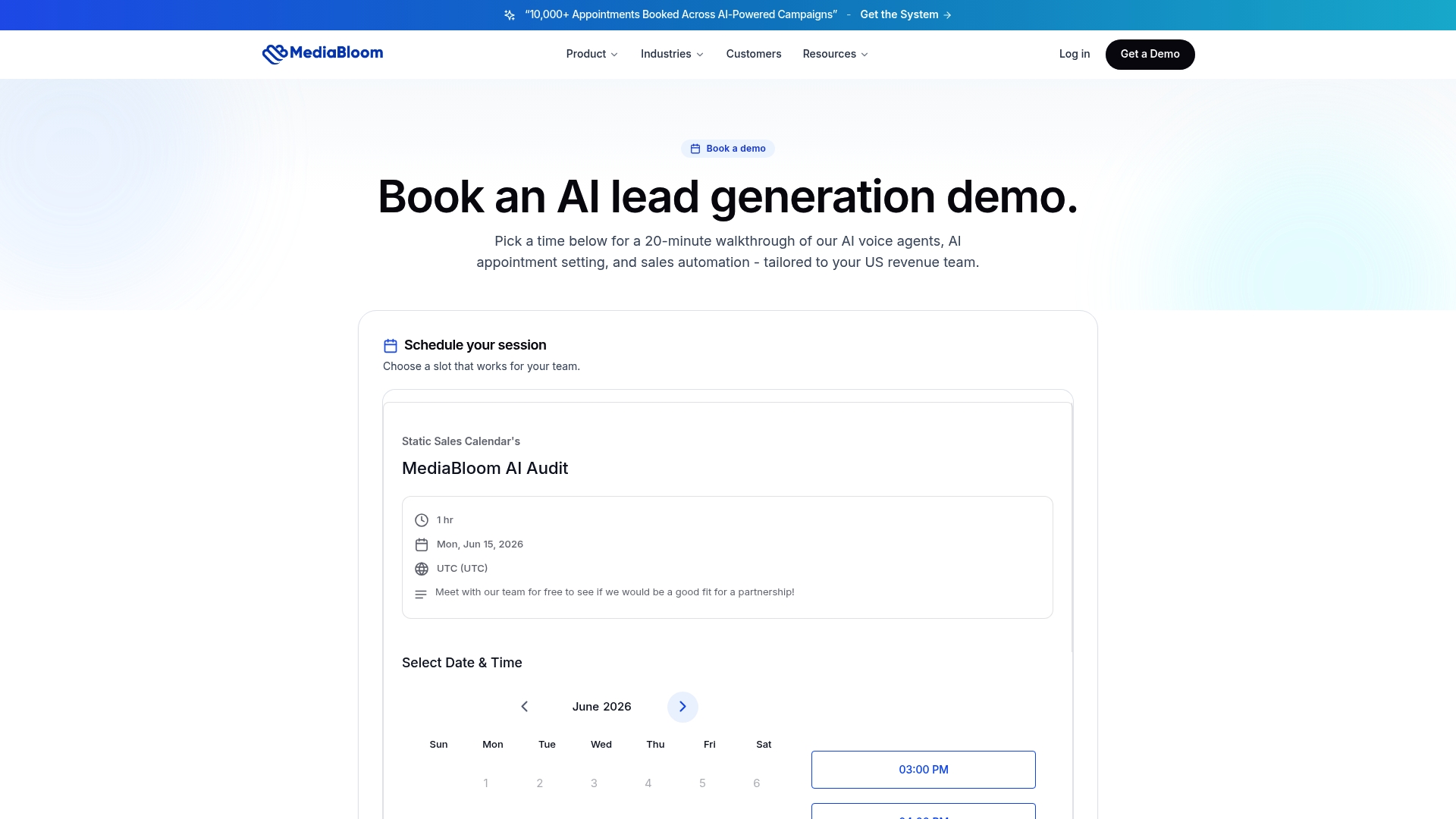
A typical pilot scope: one channel (voice or chat), one ticket category (tier-1 FAQ or appointment scheduling), a six-week run, with AHT, containment rate, and CSAT as the three success metrics. Mediabloom’s case studies show what that looks like in practice across industries including healthcare, SaaS, and professional services.
To see the AI voice agent and chatbot in action before committing to a pilot, watch the demo or explore Mediabloom’s full chatbot platform to match the right deployment to your support operation.
Useful sources
These primary sources informed this article and are worth consulting for deeper study.
- Deloitte Insights: Human-AI Interaction Design — Best for: hardwiring and softwiring framework, organizational design principles for human-AI collaboration.
- Salesforce: How to Redesign Customer Service for Humans and AI — Best for: defining human-first cases, reallocation of human effort, CX strategy.
- UJET: How to Structure Human-AI Agent Teaming in Your Contact Center — Best for: Layered Intelligence Model, persistent AI layer architecture, contextual continuity requirements.
- Genesys: Balancing AI and Human Support in Customer Experience — Best for: unified orchestration, omnichannel design, connected interaction architecture.
- Datawizard: Human-AI Collaboration Playbook for Support Ops — Best for: task classification matrix, SOP design, governance and audit checkpoints.
- arXiv: Human Intervention Timing in AI-Human Workflows — Best for: research on escalation timing, when human intervention is most and least effective.
- World Economic Forum: Future of Jobs Report 2025 — Best for: workforce trends, AI collaboration as a growing skill requirement across industries.
FAQ
What does human-AI collaboration in support mean?
Human-AI collaboration in support is an operating model where AI systems and human agents share tasks, context, and decisions within the same workflow. AI handles triage, knowledge retrieval, drafting, and backend execution; humans own empathy, judgment, and complex escalations.
How does a human-AI handoff actually work?
When an AI agent reaches its confidence threshold or triggers an escalation rule, it passes a structured payload to the human agent that includes full conversation history, classified intent, account data state, and its own confidence score. The human continues the interaction without asking the customer to repeat themselves.
What is an example of human-AI interaction in a contact center?
A customer calls about a billing dispute. The AI retrieves the account, identifies the relevant issue, calculates the appropriate resolution, and drafts a response. The human agent reviews the draft, confirms it fits the situation, and delivers it with a genuine apology. Both sides contribute what they do best.
How do you lead a human-AI collaboration rollout?
Start with a task classification exercise: assign every ticket type to one of four modes (recommend-only, draft-for-approval, execute-with-confirmation, autonomous-bounded). Define human-first cases explicitly, instrument your baseline metrics, and run a bounded six-week pilot on one channel before scaling. Deloitte’s hardwiring-plus-softwiring framework is the most practical governance model for the rollout.
Where does Mediabloom fit in a human-AI support deployment?
Mediabloom provides the full operational stack: AI voice agents, omnichannel chatbots, real-time agent assist, CRM integrations with over 600 platforms, and done-for-you setup. Teams can start with a scoped pilot and scale based on validated containment and CSAT data.