Fix authentication first. Confirm SPF, DKIM, and DMARC are aligned, pause any list segment with a bounce rate above 2%, and start new mailboxes on a conservative warmup schedule before scaling volume. Watch complaint rates weekly. Get this right and mature outbound programs should see inbox placement above 85 to 90%.
TL;DR:
- Ensuring SPF, DKIM, and DMARC records are correctly aligned and verified is crucial, with bounce rates below 2% to prevent domain reputation damage.
- Using separate sending domains or subdomains and pacing daily volume growth helps mitigate deliverability issues caused by bad segments or sudden spikes.
- Regularly re-verify lists, manage suppression, and move cold contacts to re-engagement campaigns to maintain a clean, reputable sender profile.
- Proper DMARC setup involves starting with a p=none policy and gradually enforcing strict settings once alignment is confirmed to avoid delivery disruptions.
- Automated platforms like MediaBloom can streamline these best practices through integrated warmup, authentication, and reputation monitoring, reducing operational overhead.
Table of Contents
- What Quick Wins Improve Email Deliverability for Sales Teams Today?
- How Do SPF, DKIM, and DMARC Work Together for Sales Email?
- Why Does List Hygiene Determine Your Sender Reputation?
- What’s the Right Warmup Schedule for New Sales Mailboxes?
- How Do Message Design Choices Affect Inbox Placement?
- What’s the Runbook for Diagnosing Deliverability Problems?
- Operational Checklist: Day 0 Through Week 8
- How MediaBloom Applies This Playbook in Practice
- Perspective: Deliverability Is a Revenue Discipline, Not an IT Task
- A Managed Path to Better Inbox Placement
- Resources for Verifying Your Setup
- Sources
- FAQ
What Quick Wins Improve Email Deliverability for Sales Teams Today?
You don’t need a six-week overhaul to stop losing revenue to the spam folder. Most sales teams are bleeding inbox placement from a handful of fixable mistakes, and you can audit every one of them before lunch.
Start here:
- Validate SPF, DKIM, and DMARC records using a DNS lookup tool. A missing or misconfigured record silently kills deliverability with no warning in your sending platform.
- Pause any list segment with a bounce rate considered high enough to potentially damage domain reputation, as explained in this guide to cost-effective growth. That segment is actively damaging your domain reputation with every send.
- Add a List-Unsubscribe header to commercial sequences. Google and Yahoo require one-click unsubscribe for bulk senders, and skipping it reads as a trust gap even on outreach that sits in a gray zone.
- Turn off open-tracking on first-touch emails. Tracking pixels route through third-party domains that providers scrutinize, and the data rarely matters on cold sends anyway.
- Set conservative daily sending caps per mailbox rather than pushing volume through one address.
- Split traffic across separate sending domains or subdomains so one bad segment doesn’t sink your entire program.
- Verify every new list before the first send, not after the bounces start rolling in.
Run these checks against three numbers: bounce rate, spam complaint rate, and a fast inbox placement test using a seed-list tool. If any of the three is off, you’ve found your leak.
How Do SPF, DKIM, and DMARC Work Together for Sales Email?
Authentication is the floor, not the ceiling, of inbox placement. SPF tells receiving servers which mail servers can send on behalf of your domain. DKIM attaches a cryptographic signature proving the message wasn’t altered in transit. DMARC tells providers what to do when SPF or DKIM fails, and it only works when at least one of those two protocols is aligned with the domain in your “From” address. Alignment is the part most sales teams get wrong.
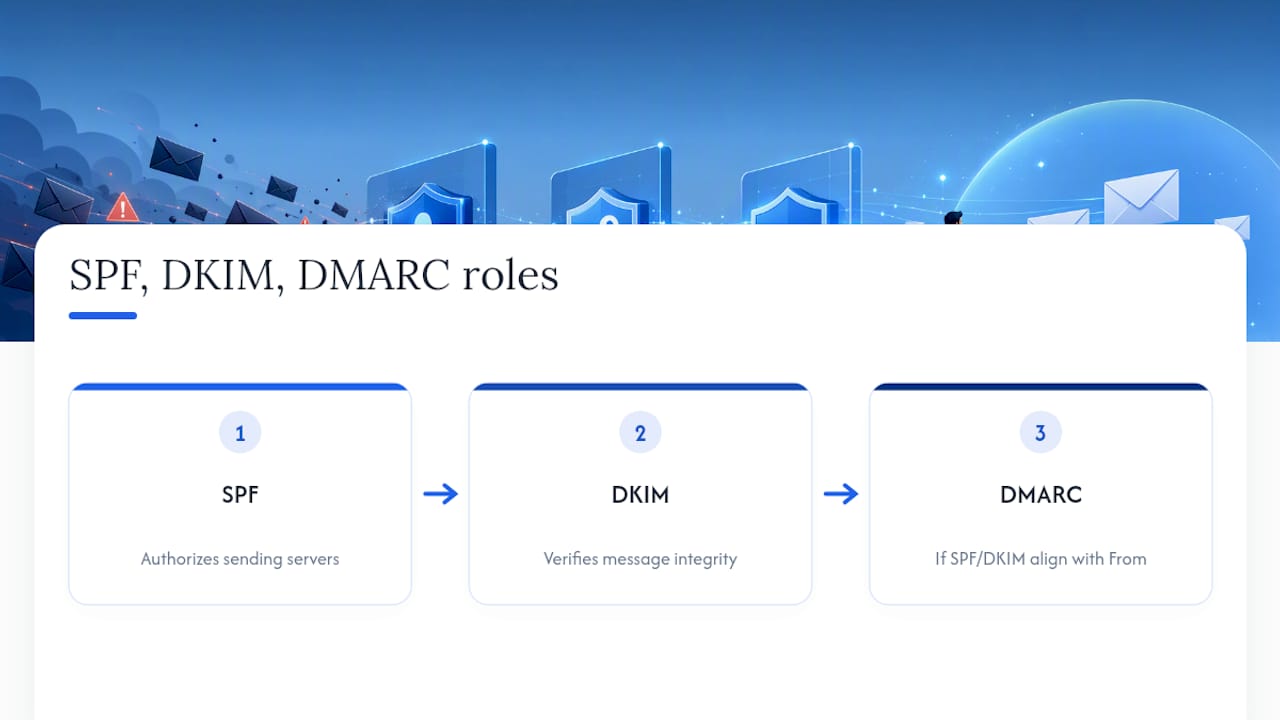
SPF’s hidden failure point. SPF records support a maximum of 10 DNS lookups, and every “include” statement in a chain of email tools (your CRM, your sequencing platform, a marketing tool) eats into that budget. Cross the limit and SPF fails silently. Receiving servers won’t warn you. Your messages just start landing in spam with no error message pointing you to the cause. The fix is flattening your SPF record to remove unnecessary includes, or moving high-volume sending to a dedicated subdomain with its own leaner record. Audit your SPF setup quarterly. Teams that add a new tool without checking lookup count are the ones who get burned.
DKIM needs rotation, not just setup. DKIM signs your message with a private key matched to a public key published in your DNS. Most sending platforms handle this automatically, but the selector (the DNS record name pointing to your key) and rotation schedule matter more than most sales ops teams realize. Old, unrotted keys are a weak signal to providers evaluating trust. Check that your signature is actually validating at the message level, not just assumed to be working because you set it up once.
DMARC alignment is where cold email programs actually break. Alignment failures are the most common cause of DMARC failures even when SPF and DKIM individually pass, and it’s usually because your email service provider’s default Return-Path or DKIM-signing domain doesn’t match the domain in your visible From address, per Smtp. The provider is technically authenticating, just not as your domain. The fix: set up a custom bounce subdomain and map your DKIM keys directly to your sending domain instead of leaving your ESP’s defaults in place.
Start DMARC at p=none to collect aggregate reports without affecting delivery, then move to p=quarantine once you’ve confirmed alignment is clean, and eventually to p=reject for full enforcement. As of 2026, bulk senders (5,000+ messages a day to a single provider) must publish at least a p=none policy just to stay compliant with Gmail and Yahoo’s sender requirements.
On infrastructure: use custom tracking and bounce subdomains rather than shared defaults. Shared tracking domains carry systemic risk, since another sender’s abuse on that same domain can drag down your reputation with it. Dedicated IPs make sense for high-volume programs with consistent send patterns; shared IPs work fine for smaller outbound teams as long as the pool is reputable.
Why Does List Hygiene Determine Your Sender Reputation?
Stale and unverified lists are the fastest way to torch a domain’s reputation. Bounce rates above roughly 2% signal a warning to providers, and rates north of 3% actively damage sender standing, according to practitioner benchmarks. List decay compounds this: contacts change jobs, emails go dead, and a list that was clean six months ago isn’t clean now.
Build the process, not just the one-time cleanup:
- Verify before every send, not just at import. Use a verification tool as a standing gate in your workflow, not a periodic cleanup project.
- Re-verify aging segments on a fixed cadence, quarterly at minimum for lists you touch repeatedly.
- Maintain a suppression list that blocks bounces, unsubscribes, and complaints from ever being re-imported by accident.
- Score list sources. A list scraped from a directory behaves nothing like one built from opt-in forms or verified enrichment tools, and your sending strategy should reflect that difference.
- Never import scraped lists directly into active sequences. Route every new import through a small test cohort of 50 to 100 contacts first and watch bounce and complaint behavior before scaling.
- Set consent standards for what counts as a legitimate contact before it enters a sequence, even for B2B outbound where the legal bar is lower than consumer marketing.
Sunset segments that go cold. If a contact hasn’t opened, replied, or clicked in 90 to 120 days, move it to a re-engagement track with a different cadence and message angle rather than continuing to hammer a dead list with your standard sequence. If re-engagement fails, suppress it. A shrinking, responsive list outperforms a bloated, silent one every time providers evaluate your sending pattern.
What’s the Right Warmup Schedule for New Sales Mailboxes?
New domains and mailboxes have no reputation, and providers treat that absence with suspicion, not neutrality. Every major inbox provider watches how a new sender behaves in its first weeks: sudden volume from an unknown domain is one of the clearest spam signals in the entire system. Warmup exists to build a track record before you ask a mailbox to carry real sales volume.
Pro Tip: Warm up on the actual send pattern you’ll use in production. If your reps send in bursts between 9 and 11 AM, warm up on that same rhythm instead of spreading volume evenly across 24 hours.
A conservative ramp looks something like this:
- Week 1: Start with a low number of emails per mailbox per day, weighted toward contacts likely to open and reply.
- Week 2: Increase emails per day cautiously, while monitoring bounce and complaint rates daily.
- Week 3: Continue increasing sends progressively if metrics remain stable.
- Week 4 and beyond: Scale toward a steady upper limit of emails per mailbox per day for cold outbound, adjusting based on reply and complaint trends.
Recovery from a damaged domain typically takes 4 to 8 weeks of clean behavior, with severe cases requiring 30 to 90 days before providers fully restore trust. That timeline is exactly why warmup discipline upfront is cheaper than repair later.
The scaling rule that saves sales teams the most pain: add mailboxes and sending domains instead of pushing more volume through the ones you already have. A conservative per-mailbox ceiling protects the whole program from a single bad domain taking down your entire outbound capacity. If you’re running multiple providers, split traffic across them rather than concentrating risk in one ecosystem.
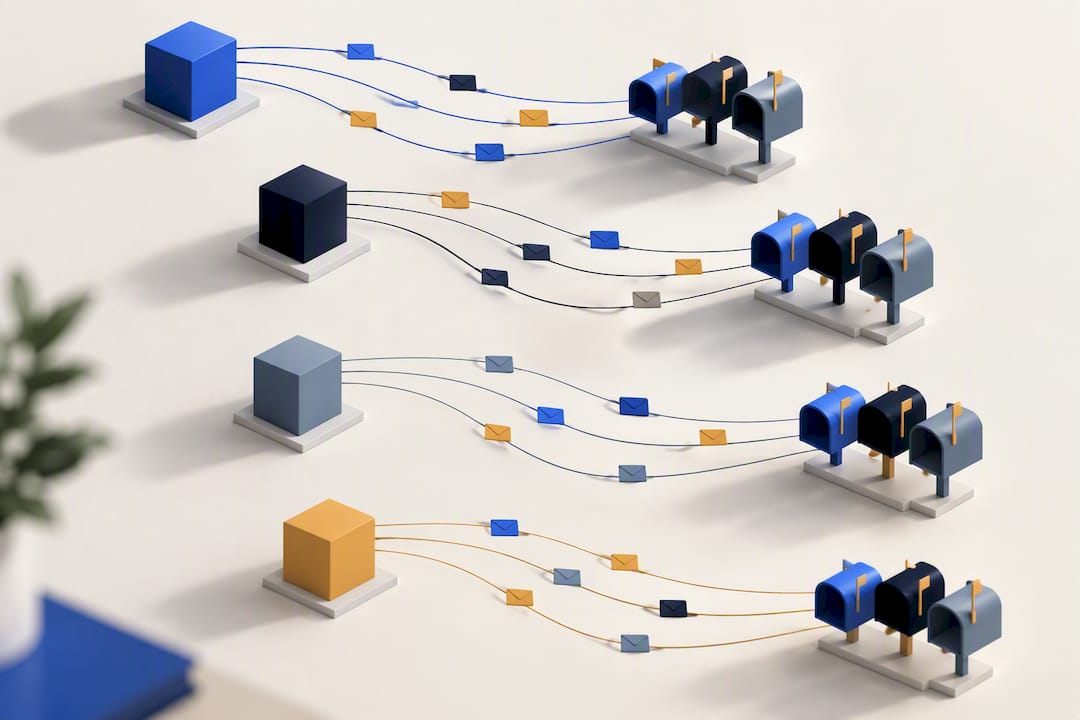
Pause or slow the ramp immediately if you see a bounce spike, a complaint uptick, or a sudden drop with one specific provider (Gmail behaving differently than Outlook, for example, points to a provider-specific issue, not a broad domain problem).
How Do Message Design Choices Affect Inbox Placement?
Providers read behavior, not just headers. A message that gets replies, sits in the inbox without being deleted, and rarely triggers a complaint sends a stronger trust signal than any DNS record. Authentication gets you to the gate; engagement gets you through it. Recent 30-day behavior tends to matter more to providers than a sender’s long-term history, which means a clean recent stretch can rebuild trust faster than old baggage predicts, per ReachInbox’s deliverability research. For first-touch outreach:
- Personalize beyond the first name. Reference something specific to the recipient’s role or company; generic mail merge patterns are exactly what spam filters have learned to flag.
- Skip open-tracking on the first message. It adds a tracking domain redirect that some filters penalize, and it tells you almost nothing useful this early in a sequence.
- Keep links and images minimal. A cold first-touch email with zero links and plain text reads more like a real message than a marketing send.
- Write a clear, low-friction call to action. “Worth a 15-minute call Thursday?” outperforms a vague ask every time.
Sequence design matters as much as any single message. Vary content across touches instead of repeating the same template with a different subject line, and treat replies, not opens, as your real KPI. A two-way thread, even a short “not right now, check back in Q3,” is worth more to your sender reputation than ten opens. Subject lines that avoid spam trigger patterns (all caps, excessive punctuation, “free,” “guarantee”) and a recognizable sender name in the From field both reduce complaint rates measurably.
What’s the Runbook for Diagnosing Deliverability Problems?
Deliverability doesn’t fail silently forever, it escalates. The typical pattern moves from a complaint or bounce spike, to throttling, to spam-folder placement, to outright rejection, and finally to longer-term reputation damage that’s expensive to reverse, based on Thunderbit’s documented enforcement patterns. Catching the problem at stage one is dramatically cheaper than fixing it at stage four.
Monitor these weekly:
- Inbox placement rate, tested with a seed-list placement tool, not inferred from open rates alone.
- Bounce rate, broken out by list segment and by sending domain.
- Spam complaint rate, with Google’s hard limit at 0.3% and 0.1% as the recommended healthy target.
- Reply rate, as your strongest positive engagement signal.
- Provider-level splits, since a Gmail-specific drop points to a different fix than an Outlook-specific one.
Use Google Postmaster Tools for domain reputation data straight from Google, run header inspections on bounced or spam-flagged messages to confirm authentication actually passed, and check blocklist databases if placement drops suddenly across the board.
When something breaks, work the runbook in order: isolate which sender or domain is affected, pause the affected cohort immediately, re-verify SPF/DKIM/DMARC configuration, cut volume by half or more, re-warm gradually, and escalate to your email service provider’s support team if the issue persists past two weeks. Expect 4 to 8 weeks for typical recovery, and budget 30 to 90 days for a domain with serious accumulated damage.
Operational Checklist: Day 0 Through Week 8
Treat deliverability like a managed rollout, not a one-time setup task.
- Day 0: Verify SPF, DKIM, and DMARC records; map every sending tool into your DNS audit; build your initial suppression list from any existing bounce or complaint history.
- Weeks 1 to 4: Follow your warmup schedule; run a weekly health review covering bounce rate, complaint rate, and reply rate for every mailbox.
- Decision thresholds: Pause a mailbox or segment immediately if bounce rate exceeds 2% or complaint rate exceeds 0.1%; consider a domain change if problems persist past 30 days despite fixes.
- Ownership: Assign DNS and authentication to whoever owns your sending infrastructure, list quality to sales ops, and weekly metric monitoring to a single accountable person, not a rotating group.
How MediaBloom Applies This Playbook in Practice
Running this checklist manually across dozens of mailboxes is where most sales teams lose the thread. MediaBloom’s cold outbound campaign infrastructure builds warmup, authentication checks, and engagement monitoring into the platform’s omnichannel sequencing, so the same system managing your email cadence also coordinates SMS and voice follow-up without duplicating the reputation risk across separate tools. Some clients have run high-volume outbound programs through a platform that generates significant monthly leads for its user base. Teams without dedicated deliverability ops staff generally benefit from a managed approach; teams with in-house technical resources and lower volume can run the DIY playbook above effectively on their own.
Perspective: Deliverability Is a Revenue Discipline, Not an IT Task
Deliverability problems show up on your pipeline report before they show up on any technical dashboard. Treating it as a one-time DNS setup, rather than an ongoing discipline owned across sales, marketing, and ops, is the single biggest reason programs decay. The teams that stay out of the spam folder run light governance: one owner for authentication, one for list quality, weekly eyes on complaint rate. That’s the whole model.
— MediaBloom
A Managed Path to Better Inbox Placement
Running the full playbook above, DNS audits, warmup schedules, weekly monitoring, list scoring, takes real operational bandwidth that most sales teams would rather spend on selling. MediaBloom is the alternative to building that deliverability operation in-house: the platform’s cold outbound campaigns handle authentication setup, managed warmup, and reputation monitoring as part of one integrated system, alongside SMS and voice follow-up, so your sequences reach the inbox instead of getting lost proving DNS records work. Teams that need faster inbox trust after a cold start also use Reactivation AI to rebuild engagement with dormant lists without restarting a warmup cycle from zero.
If you’d rather run the checklist yourself, everything above works without any platform. If you’d rather have it managed, with booked appointments as the actual output instead of just software access, watch a demo or head to the MediaBloom homepage to see how the setup maps to your current sending volume.
Resources for Verifying Your Setup
Check requirements directly: Gmail and Yahoo sender rules, SPF lookup limit guidance, Google Postmaster Tools, and any major DNS/blocklist lookup tool for header inspection.
Sources
FAQ
What Is a Good Email Deliverability Rate for Sales Outreach?
Track it with a real inbox placement test, not open rates, since opens don’t confirm where the message actually landed.
What Is the 30/30/50 Rule for Cold Emails?
This isn’t a standardized industry framework with a single agreed definition, and treating it as a fixed rule risks oversimplifying sequence strategy. The more reliable approach is to focus on the engagement signals covered above: replies, low complaints, and steady time-in-inbox across your sequence rather than a fixed percentage split.
What Does the 3-21-0 Email Rule Mean?
Like the 30/30/50 framework, this isn’t a documented industry standard with consistent sourcing, and definitions vary depending on where you encounter it. Build your cadence around measured data instead, tracking your own reply and complaint rates across touch points to find the sequence timing that works for your list.
What Is a Safe Bounce Rate for Sales Email Lists?
Keep bounce rates under 1 to 2% for safe sending; rates above 2% are a warning sign, and anything above 3% actively damages your domain reputation. Pre-send verification and regular list re-checks are the most reliable way to stay under that threshold.
How Does MediaBloom Help With Email Deliverability for Sales Teams?
MediaBloom’s cold outbound campaign service manages authentication, warmup, and monitoring as part of an integrated omnichannel sequencing platform. Pricing is available on request through the MediaBloom site rather than published publicly.