For most sales teams, the biggest revenue leak isn’t the pitch or the product. It’s the gap between interest and booked meeting. An AI-first calendar automation platform that combines instant booking, CRM auto-logging, and intelligent routing closes that gap faster than any other single investment. Leads contacted within five minutes of expressing interest are 9 to 21 times more likely to qualify than leads contacted after 30 minutes, and the only way to hit that benchmark at scale is automated scheduling infrastructure.
Top picks at a glance:
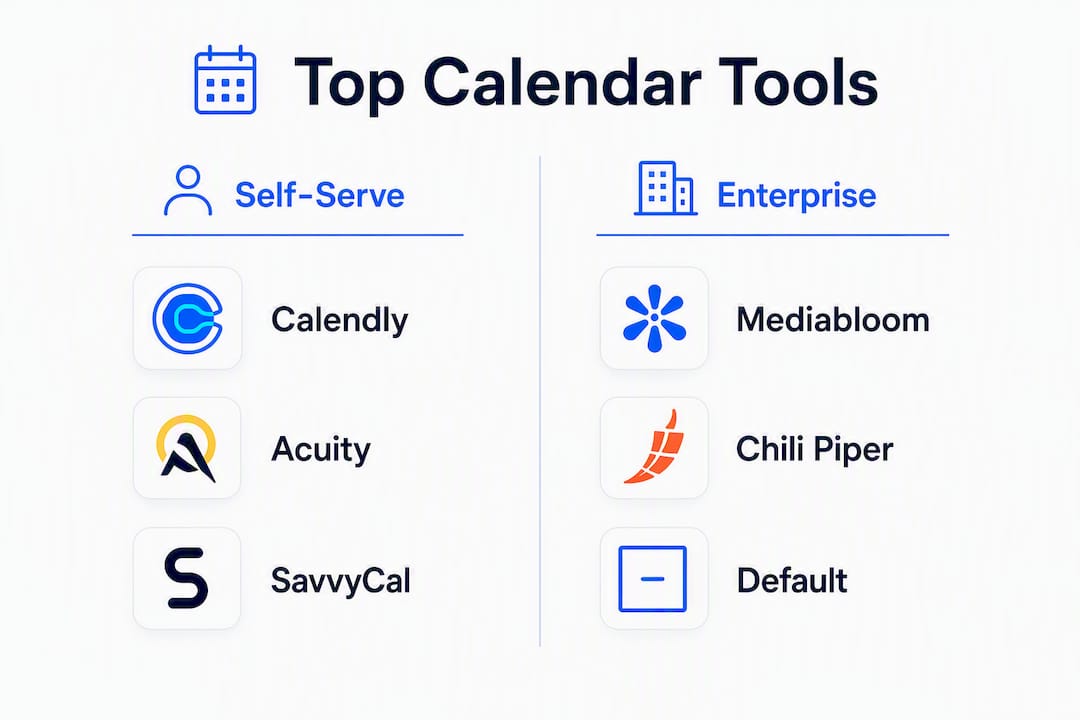
- Mediabloom — Done-for-you AI appointment setting with voice agents, chat, and CRM auto-logging. Best for teams that want immediate pipeline lift without building the infrastructure themselves.
- Calendly — Lightweight scheduling links with broad integrations. Best for individual reps and small teams.
- Chili Piper — Real-time inbound routing and form-to-book flows. Best for high-volume B2B demo capture.
- HubSpot Meeting Scheduler — Native scheduling embedded in HubSpot CRM. Best for teams already running on HubSpot.
- Default — Workflow automation between forms, calendars, and CRMs. Best for inbound demo capture with routing logic.
- SavvyCal — Collaborative, overlay-based scheduling. Best for account-based and relationship-driven sellers.
Two signals that separate scheduling infrastructure from scheduling convenience: automated booking compresses time-to-book from roughly 38–42 hours to under five minutes, and enterprise-grade platforms carry SOC 2 and TCPA compliance postures that protect teams running outbound voice and SMS sequences.
Table of Contents
- Which calendar automation tool is right for your sales team?
- Why scheduling speed is a direct revenue lever
- Full breakdown of every tool on the shortlist
- How to choose the right tool for your sales motion
- How we selected and evaluated these tools
- Key Takeaways
- What we see working in the field
- Mediabloom delivers AI-first appointment setting at scale
- Sources & further reading
- FAQ
Which calendar automation tool is right for your sales team?
| Tool | Best for | Key scheduling features | AI / automation | CRM integrations | Ease of setup | Pricing tier | Analytics & reporting | Compliance posture |
|---|---|---|---|---|---|---|---|---|
| Mediabloom | Done-for-you AI pipeline, rapid time-to-book | Round-robin, multi-calendar sync, group booking, 24/7 voice + chat | AI voice agents, chatbots, auto-follow-ups, lead scoring | 600+ CRM connectors (Salesforce, HubSpot, and more) | Managed onboarding; fast deployment | Custom (SaaS subscription) | Pipeline analytics, source attribution | SOC 2, HIPAA-ready, TCPA-aware |
| Calendly | Individual reps, simple team scheduling | Round-robin, multi-calendar sync, group events | Basic reminders, routing forms | HubSpot, Salesforce, Zoom, — via Zapier | Minutes; self-serve | Free; $10–$16/user/mo (Teams) | Basic event analytics | Standard data handling |
| Chili Piper | High-volume inbound B2B demo capture | Instant form-to-book, advanced routing, territory rules | Auto-routing, instant redirect, reminders | Salesforce, HubSpot, Marketo | Moderate; requires routing config | ~$30/user/mo (Distro) | Conversion and routing analytics | SOC 2 Type II |
| HubSpot Meeting Scheduler | Teams running on HubSpot CRM | Round-robin, group meetings, HubSpot-native | Auto-logging, sequence triggers | HubSpot-native; Salesforce via HubSpot | Easy for HubSpot users | Included in HubSpot Sales Hub | HubSpot reporting suite | HubSpot security standards |
| SavvyCal | Account-based, relationship-driven sellers | Overlay scheduling, multi-calendar, group polls | Smart availability, reminders | HubSpot, Salesforce, Zapier | Fast; self-serve | $12–$20/user/mo | Basic analytics | Standard |
| ZoomInfo (GTM Workspace) | Revenue ops teams needing data + scheduling | Meeting workflows, GTM automation | Data-enriched routing, AI insights | Salesforce, HubSpot, Outreach, Salesloft | Moderate to complex | Enterprise pricing | GTM analytics, intent data | SOC 2, enterprise controls |
| Dialpad | Voice-first teams needing telephony + scheduling | Call scheduling, meeting booking, voice integration | AI call summaries, auto-notes | Salesforce, HubSpot, Zendesk | Moderate | $15–$25/user/mo | Call and meeting analytics | SOC 2, HIPAA option |
| Apollo | Outbound SDR teams with sequenced cadences | Booking links in sequences, round-robin | Sequence-driven automation, reminders | HubSpot, Salesforce, native CRM | Fast for outbound teams | Free; $49–$99/user/mo | Sequence and engagement analytics | SOC 2 |
| Gong | Call intelligence + meeting prep | Meeting recording, scheduling integrations | Conversation AI, talking points, coaching | Salesforce, HubSpot, Outreach, Salesloft | Moderate | Enterprise pricing | Revenue intelligence dashboards | SOC 2, GDPR |
| Default | Inbound demo capture with routing automation | Form-to-book, routing logic, CRM handoff | Workflow automation, instant redirect | Salesforce, HubSpot | Moderate | $500+/mo (team plans) | Routing and conversion analytics | SOC 2 |
| RevenueHero | Fast form-to-book for revenue teams | Embedded booking, instant routing | Auto-routing, reminders | Salesforce, HubSpot, Marketo | Fast | $25–$45/user/mo | Booking and conversion reporting | SOC 2 |
| Clara Labs | Complex multi-party scheduling | Human + AI hybrid scheduling | Human-in-the-loop automation | Email-based; limited native CRM | Concierge onboarding | Custom pricing | Limited analytics | Standard |
| Microsoft Bookings | Microsoft 365 / Outlook-standardized orgs | Outlook/Exchange sync, group bookings | Basic reminders | Microsoft 365, Teams | Easy for M365 users | Included in M365 Business | Basic reporting | Microsoft enterprise compliance |
| Acuity Scheduling | Customizable booking flows, SMB teams | Custom event types, intake questions, payments | Reminders, follow-ups | HubSpot, Salesforce, Zapier | Fast; self-serve | $16–$61/mo (flat) | Appointment analytics | Standard; HIPAA add-on |
| Square Appointments | SMB teams combining bookings + payments | Booking + payment processing | Basic reminders | Square ecosystem, limited CRM | Very fast | Free; $29–$69/mo | Basic booking reports | PCI-DSS |
| Salesloft | Enterprise outbound with cadence workflows | Meeting links in cadences, round-robin | Cadence AI, coaching signals | Salesforce, HubSpot, Microsoft | Complex; enterprise onboarding | Enterprise pricing | Revenue analytics, cadence reporting | SOC 2, GDPR |
| Outreach | Large outbound teams, enterprise sequencing | Meeting links in sequences, activity logging | Sequence AI, deal intelligence | Salesforce, HubSpot, Microsoft | Complex | Enterprise pricing | Enterprise analytics | SOC 2, GDPR |
| Reclaim | Reps needing intelligent time blocking | Smart scheduling, task-to-calendar, focus time | AI time blocking, habit scheduling | Google Calendar, Slack, Asana | Fast; self-serve | Free; $8–$12/user/mo | Productivity analytics | Standard |
| Kronologic | AI-first scheduling capture for B2B | AI meeting capture, routing | AI scheduling assistant | Salesforce, HubSpot | Moderate | Custom pricing | Scheduling analytics | Standard |
| Motion | Individuals and small teams, task + calendar | Auto-schedule tasks, calendar optimization | AI schedule optimization | Google Calendar, Outlook | Fast | — | Productivity reporting | Standard |
| Orbit AI | Teams needing AI booking accuracy | AI booking optimization | AI-driven booking accuracy | Limited; varies | Fast | Custom pricing | Basic analytics | Standard |
| Clockwise | Team-level focus time and calendar sync | Focus time blocks, team calendar shifts | AI calendar optimization | Google Calendar, Slack, Asana | Fast | Free; — | Team analytics | SOC 2 |
| Google Calendar | Google Workspace orgs as base calendar | Native Google integration, event creation | Basic smart suggestions | Google Workspace, — via Zapier | Instant | Free (Workspace plans) | Basic | Google enterprise standards |
| Microsoft Outlook Calendar | Microsoft 365 / Exchange orgs | Exchange sync, enterprise controls | Copilot AI features (M365) | Microsoft 365, Teams, Dynamics | Instant for M365 | Included in M365 | Basic | Microsoft enterprise compliance |
| Morgen | Rep-level productivity calendar UI | Multi-calendar aggregation, task integration | Basic automation | Google, Outlook, iCloud | Fast | Free; $6–$9/user/mo | Basic | Standard |
| Apple Calendar | Apple-device-first teams | iCloud sync, cross-platform compatibility | Siri suggestions | iCloud, Google, Exchange | Instant | Free | None | Apple privacy standards |
| Fantastical | Apple-heavy teams wanting advanced UX | Natural language input, multi-calendar, widgets | Smart event suggestions | Google, Outlook, Exchange, iCloud | Fast | — | Basic | Standard |
| Fastmail | Privacy-focused mail + calendar users | Integrated mail + calendar | Basic automation | Limited; JMAP-based | Fast | $3–$9/user/mo | Basic | Privacy-forward; no ad tracking |
| HubSpot Meetings | HubSpot CRM users (same as Meeting Scheduler) | Round-robin, group meetings, HubSpot-native | Auto-logging, sequence triggers | HubSpot-native | Easy for HubSpot users | Included in HubSpot Sales Hub | HubSpot reporting suite | HubSpot security standards |
Match your sales motion to the right tool:
- High-volume SDR outbound: — Apollo or Salesloft for sequence-embedded booking links; Mediabloom for 24/7 AI outbound voice + automated follow-up.
Mediabloom integrations are live for Calendly, Acuity Scheduling, and Google Calendar, making those tools immediately connectable to Mediabloom’s AI appointment pipeline.

Why scheduling speed is a direct revenue lever
Scheduling infrastructure is a revenue lever, not an admin convenience. The data is direct: automated scheduling reduces time-to-book from an industry average of 38–42 hours to under five minutes, and that compression alone drives measurable pipeline velocity gains.
The mechanism is straightforward. When a prospect clicks “Book a Demo,” their intent is at its peak. Every hour of delay degrades that intent. Routing them to a booking page instantly, without an email exchange, captures the moment before they cool off. Embedding booking links directly in high-intent flows — pricing pages, demo CTAs, outbound sequences — converts more prospects than any manual follow-up pattern.
Stat: Teams using automated booking and reminder sequences see 25–40% higher show rates and can recover 25–35% of meetings that would otherwise become no-shows via automated rescheduling.
Show rates are where most teams leave money on the table. A three-touch reminder sequence (instant confirmation, 24-hour reminder, 1-hour reminder) is the validated cadence for reducing no-shows, and adding SMS delivers incremental lift on top of that. Automated rescheduling handles the rest: teams recover 25–35% of meetings that would otherwise be lost, which is a direct revenue recovery mechanism, not a convenience feature.
Routing fairness matters too. In one analysis, round-robin and weighted routing improved quota attainment by 18% compared to manual distribution, because meetings reach the right rep at the right time rather than piling onto whoever responds first.

Pro Tip: Treat your scheduling tool the same way you treat your CRM: configure routing rules, enforce CRM auto-logging from day one, and track time-to-book and show rate as primary KPIs. Reps who skip the auto-log step create pipeline blind spots that cost managers visibility and cost the team attribution data.
Full breakdown of every tool on the shortlist
Mediabloom
Mediabloom is the recommended option for sales teams that want a done-for-you AI appointment pipeline rather than a self-serve scheduling link. The platform deploys AI voice agents (inbound and outbound), AI chatbots, and multi-channel automation across voice, SMS, email, and chat. Every booked meeting auto-logs to your CRM via 600+ native connectors, including Salesforce and HubSpot. Managed onboarding means your team isn’t configuring routing rules from scratch; Mediabloom’s team handles setup, integration, and ongoing optimization.
Compliance posture is enterprise-grade: SOC 2, HIPAA-ready, and TCPA-aware for outbound voice and SMS sequences. Clients like Miracle Ear and 1-800 Accountant have deployed the platform to generate over 10,000 monthly leads. For teams where speed-to-book and pipeline recovery are the primary metrics, Mediabloom operates as an AI workforce running 24/7 rather than a tool reps need to manage.
Calendly
Calendly is the most widely deployed scheduling link platform in B2B sales. It handles round-robin distribution, multi-calendar sync, and group events with minimal configuration. The free tier works for individual reps; team plans at $10–$16 per user per month add routing forms, Salesforce, and HubSpot integrations, and basic analytics. Setup takes minutes. The tradeoff: Calendly is a scheduling tool, not a pipeline tool. It won’t qualify leads, auto-log to CRM without a paid plan, or run outbound sequences.
Chili Piper
Chili Piper is purpose-built for inbound B2B demo capture. When a prospect submits a form, Chili Piper routes them to the right rep and presents a booking page instantly, before they leave the site. Advanced routing handles territory rules, ownership logic, and round-robin distribution. Salesforce and HubSpot integrations are deep. At roughly $30 per user per month for the Distro product, it’s priced for teams where a single recovered demo justifies the cost. The configuration overhead is real; plan for a few days of routing setup.
HubSpot Meeting Scheduler / HubSpot Meetings
For teams running their entire sales process on HubSpot, the native Meeting Scheduler (also surfaced as HubSpot Meetings) is the lowest-friction option. Scheduling is embedded directly in contact and deal records, round-robin and group meetings are supported, and every booking auto-logs without a third-party integration. It’s included in HubSpot Sales Hub, so there’s no additional per-seat cost if you’re already paying for the CRM. The limitation is portability: it works best inside the HubSpot ecosystem and adds friction when your stack spans multiple CRMs.
SavvyCal
SavvyCal takes a different approach: instead of presenting your availability to a prospect, it overlays your calendar with theirs so both parties see mutual open slots. That collaborative framing reduces the transactional feel of scheduling, which matters in account-based and enterprise selling where the relationship precedes the meeting. At $12–$20 per user per month, it’s priced for individual reps and small teams. CRM integrations exist via HubSpot, Salesforce, and Zapier, though they’re less deep than Chili Piper’s.
Default
Default positions itself as the control layer between your forms, calendars, and CRM. When a prospect submits a demo request, Default routes them, books the meeting, and fires the CRM handoff automatically. Workflow automation is the differentiator: you can build conditional logic (if deal size > $X, route to enterprise rep; else round-robin) without engineering support. Pricing starts at $500 per month for team plans, which makes it a mid-market and above option. SOC 2 certified.
RevenueHero
RevenueHero focuses on the same inbound form-to-book motion as Chili Piper and Default, with embedded booking and instant routing as its core value. At $25–$45 per user per month, it sits between Calendly and Chili Piper on price. Salesforce and HubSpot integrations are solid. Teams that want fast deployment without Default’s workflow complexity often land here.
Clara Labs
Clara Labs uses a human-plus-automation model: an AI assistant handles scheduling coordination, but human operators back it up for complex multi-party scenarios. That hybrid approach makes it reliable for high-stakes scheduling where pure automation can misfire. Pricing is custom and typically higher than self-serve tools. CRM integration is primarily email-based rather than native API, which limits auto-logging fidelity.
Microsoft Bookings
Microsoft Bookings is the right call for organizations standardized on Microsoft 365 and Outlook. It syncs natively with Exchange calendars, supports group bookings, and is included in most M365 Business plans. For teams already paying for Microsoft 365, the incremental cost is zero. Outside the Microsoft ecosystem, it offers little advantage over Calendly or SavvyCal.
Acuity Scheduling
Acuity Scheduling offers the most flexible booking-flow customization in this list. Custom event types, intake questions, conditional logic, and payment collection are all available. Flat monthly pricing ($16–$61) makes it predictable for SMB teams. A HIPAA add-on is available for healthcare-adjacent sales teams. Mediabloom integrates directly with Acuity, so teams can layer AI qualification and voice follow-up on top of Acuity’s booking flows.
Square Appointments
Square Appointments combines booking with payment processing, which makes it a natural fit for service businesses that also sell. For pure sales teams, the payment-first architecture is usually unnecessary overhead. The free tier handles basic scheduling; paid plans at $29–$69 per month add staff management and more booking options.
Salesloft and Outreach
Both platforms are enterprise sales engagement suites where meeting scheduling is one component of a broader cadence and analytics system. Salesloft embeds meeting links in cadence steps and surfaces coaching signals alongside booking data. Outreach does the same with its sequence engine and deal intelligence layer. Neither is a scheduling tool first; both require enterprise contracts and complex onboarding. For large outbound teams that need scheduling tightly woven into sequenced outreach and revenue analytics, either is a strong fit.
Reclaim, Motion, Clockwise, and Orbit AI
These four tools operate at the calendar optimization layer rather than the booking layer. Reclaim blocks focus time and auto-schedules tasks around meetings. Motion auto-optimizes daily schedules based on priorities and deadlines. Clockwise coordinates focus time across entire teams, shifting meetings to protect deep-work blocks. Orbit AI applies AI to booking accuracy and optimization. All four are most valuable for individual reps or small teams managing their own calendars; none replaces a routing and CRM-logging platform for a sales team.
Kronologic
Kronologic is an AI scheduling assistant aimed at automating meeting capture for B2B teams. It handles routing and booking via AI, with Salesforce and HubSpot integrations. Pricing is custom. Teams experimenting with AI-first scheduling assistants that want something lighter than Mediabloom’s full platform may find it worth evaluating.
Gong
Gong is a conversation intelligence platform, not a scheduling tool. It records, transcribes, and analyzes sales calls, surfaces coaching insights, and tracks deal health. Most sales teams pair Gong with a dedicated scheduling tool rather than replacing one with the other. Its value in a calendar automation context is post-meeting: Gong’s analytics tell you whether the meetings your scheduling infrastructure books are actually moving deals forward.
ZoomInfo (GTM Workspace)
ZoomInfo’s GTM Workspace adds scheduling and workflow features to its core sales intelligence data. The combination of intent data, contact enrichment, and meeting workflows is powerful for revenue operations teams that want prospect data and scheduling in a single platform. Enterprise pricing and complexity make it a RevOps investment rather than a rep-level scheduling tool.
Dialpad
Dialpad is a cloud telephony platform with integrated scheduling. For voice-first teams, the tight coupling between call handling and meeting booking reduces context-switching. AI call summaries and auto-notes are built in. At $15–$25 per user per month, it’s accessible for mid-market teams. CRM integrations cover Salesforce, HubSpot, and Zendesk.
Apollo
Apollo is an outbound sales engagement platform with sequencing, prospecting data, and booking links built in. SDR teams running high-volume outbound cadences can embed booking links directly in sequence steps without switching tools. The free tier is generous; paid plans at $49–$99 per user per month add advanced sequencing and analytics. CRM integrations with HubSpot and Salesforce are solid.
Google Calendar, Microsoft Outlook Calendar, Apple Calendar, Fantastical, Morgen, and Fastmail
These are the calendar platforms that scheduling tools sit on top of, not standalone scheduling solutions for sales teams. Google Calendar and Microsoft Outlook Calendar are the two dominant bases; every tool in this list integrates with one or both. Apple Calendar, Fantastical, Morgen, and Fastmail serve individual users who want a better daily calendar experience or a privacy-forward mail-plus-calendar setup. Fantastical is the strongest option for Apple-heavy teams that want natural language input and advanced UX. Fastmail suits users who prioritize privacy and a combined mail-and-calendar workflow. None of these replaces a sales-specific scheduling or routing platform.
How to choose the right tool for your sales motion
Match the tool to your dominant motion first, then layer in CRM and compliance requirements. A team running high-volume inbound demos has different needs than an enterprise account team managing multi-stakeholder scheduling.
- Define your primary motion. Inbound demo capture, outbound SDR sequencing, account-based relationship scheduling, or a mix? The motion determines whether you need routing logic (inbound), sequence integration (outbound), or collaborative scheduling (account-based).
- Verify native CRM support. Native Salesforce or HubSpot integration means auto-logging without a Zapier workaround. Ask vendors to demonstrate a live booking creating a CRM activity record during the demo.
- Test round-robin and routing rules. Confirm the tool supports weighted distribution, territory rules, and ownership-based routing. Ask how it handles rep unavailability and overflow.
- Check reschedule automation. A tool that can’t automatically recover a no-show leaves revenue on the table. Confirm automated rescheduling is built in, not a manual workflow.
- Evaluate analytics depth. You need time-to-book, show rate, reschedule rate, and booking-source attribution at minimum. If the tool can’t report on these, you can’t optimize.
- Assess security and compliance posture. For outbound voice and SMS sequences, TCPA compliance is non-negotiable. For healthcare-adjacent or enterprise deals, ask for SOC 2 documentation and data retention policies.
- Confirm support SLA and onboarding time. Self-serve tools can go live in hours; enterprise routing platforms may need days or weeks. Match the onboarding timeline to your pipeline urgency.
- Run a pilot before committing. A 7–14 day pilot measuring time-to-book and show rate against your current baseline is the fastest way to validate ROI.
Red flags to watch for in demos: no native CRM auto-logging, no multi-calendar support, manual-only reschedule workflows, no show-rate or time-to-book reporting, and vague answers on data retention or SOC 2 status.
How we selected and evaluated these tools
The tools in this article were selected and evaluated against sales-specific criteria, not general productivity metrics. The goal was to surface which platforms materially affect pipeline velocity, show rates, and rep efficiency for U.S. sales teams.
Selection criteria:
- Native Salesforce and/or HubSpot integration with verified auto-logging (not just Zapier pass-through)
- Round-robin and weighted routing support
- Multi-calendar sync (Google and Outlook at minimum)
- Automated reschedule and reminder workflows
- Compliance signals: SOC 2 documentation, TCPA awareness for outbound voice/SMS, HIPAA option where relevant
- Analytics covering time-to-book, show rate, and booking-source attribution
What counts as a pass for sales teams: a tool passes the CRM integration check only if it creates a native activity or event record in Salesforce or HubSpot without requiring a custom Zap. It passes the routing check only if it supports territory rules or ownership-based assignment, not just round-robin. Reschedule automation must be triggered automatically, not manually initiated by a rep.
Practical demo checks to run yourself:
- Submit a test form and verify the booking redirect fires within seconds.
- Complete a test booking and confirm the CRM activity record appears without manual action.
- Request the vendor’s SOC 2 Type II report or attestation letter; note whether they can produce it immediately.
- Trigger a test reschedule and verify the automated recovery sequence fires.
- Ask for a scheduling errors reduction report or equivalent metric from a current customer reference.
Pricing data was sourced from publicly listed plan pages and vendor documentation. Where pricing is custom or enterprise-only, that is noted. The automated scheduling ROI benchmarks cited throughout this article come from Aurium Research and skdul’s scheduling data analysis.
Key Takeaways
The single most important decision in calendar automation for sales teams is matching the tool to your dominant motion: inbound, outbound, or account-based. Everything else, including price and features, follows from that choice.
| Point | Details |
|---|---|
| Speed-to-book is the primary KPI | Automated scheduling reduces time-to-book from 38–42 hours to under five minutes, directly lifting pipeline velocity. |
| Show rates improve with automation | Teams using automated booking and reminder sequences see 25–40% higher show rates and recover 25–35% of meetings that would otherwise be no-shows via automated rescheduling. |
| Routing drives quota attainment | Round-robin and weighted routing improve quota attainment by 18% compared to manual meeting distribution. |
| CRM auto-logging is non-negotiable | Native auto-logging eliminates manual data entry and creates the attribution data managers need to optimize by source and rep. |
| Mediabloom for done-for-you AI pipeline | Mediabloom deploys AI voice agents, chatbots, and 24/7 booking with managed onboarding and enterprise compliance for teams that want immediate results. |
What we see working in the field
The single strongest predictor of scheduling ROI is how quickly a lead moves from expressing interest to a confirmed meeting on a rep’s calendar. Every implementation detail, from routing rules to reminder cadence to CRM logging, either accelerates or delays that moment.
The teams that see the fastest results share a common pattern: they treat scheduling as a revenue system, not a rep convenience. That means configuring routing rules before launch, not after the first missed lead. It means verifying CRM auto-logging in a sandbox before going live, not discovering the gap three months into a pilot. And it means setting time-to-book and show rate as primary KPIs from week one, so the team has a baseline to improve against.
Compliance is the area most teams underestimate until it becomes urgent. Outbound voice and SMS sequences trigger TCPA obligations that vary by state and consent type. Teams running AI voice agents at scale need documented consent workflows and data retention policies in place before the first call goes out. SOC 2 Type II documentation should be a standard ask in any enterprise vendor evaluation, not an afterthought.
One practical note on intake questions: the booking form is the first qualification touchpoint. Teams that use it to capture company size, use case, and current tooling arrive at the demo with context that shortens the discovery phase. Mediabloom’s AI qualification layer handles this automatically, routing leads based on intake responses before a human rep is ever involved.
Mediabloom delivers AI-first appointment setting at scale
The tools in this article cover a wide range of scheduling needs, from lightweight rep-level booking links to enterprise routing platforms. For teams that want to skip the configuration work and deploy a fully managed AI appointment pipeline, Mediabloom is the direct path.
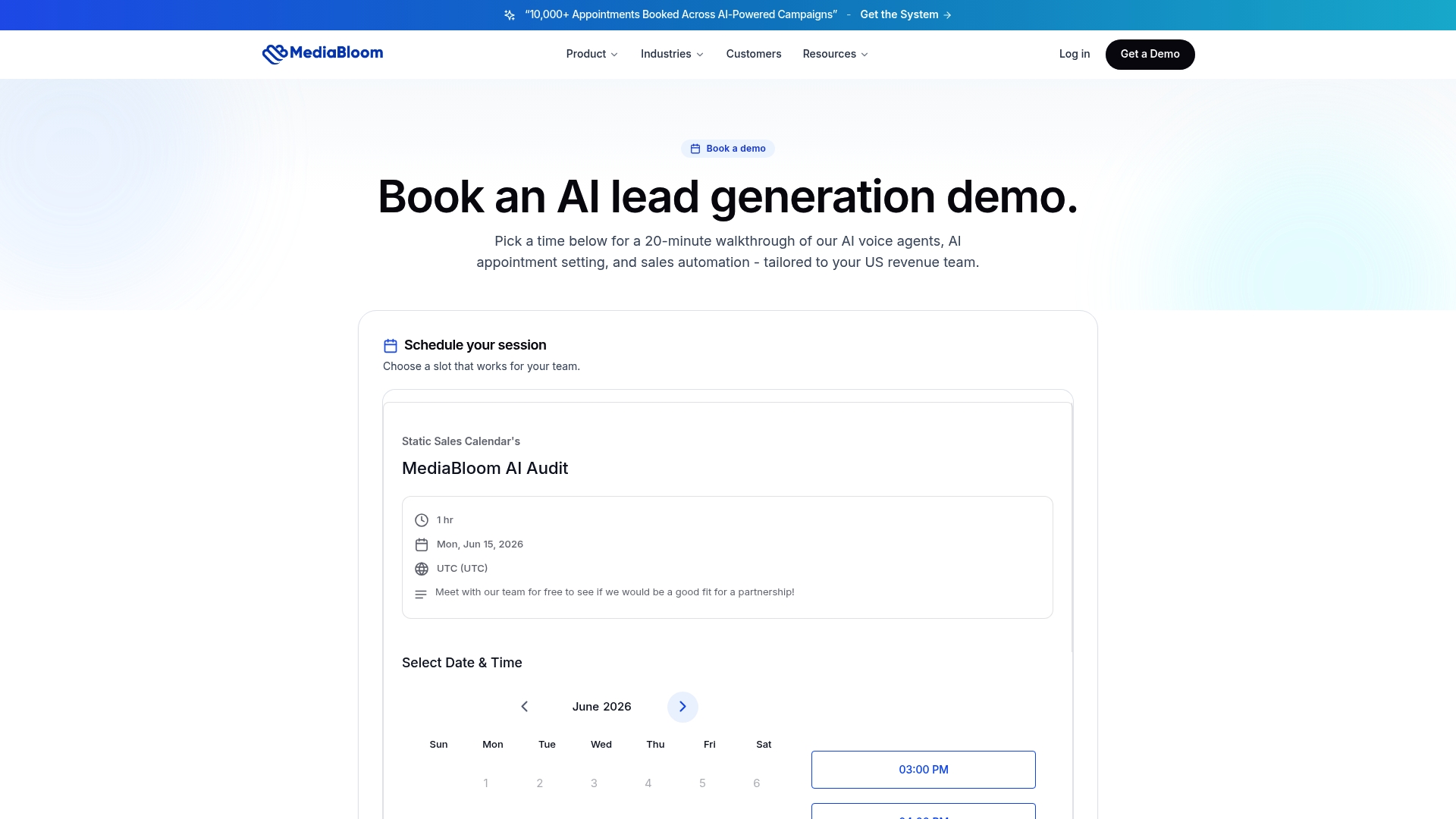
Mediabloom deploys AI voice agents and chatbots that qualify leads, book appointments, and auto-log every interaction to your CRM across 600+ integrations, including Salesforce and HubSpot. The platform runs 24/7 across voice, SMS, email, and chat, with TCPA-aware outbound flows and SOC 2 and HIPAA-ready compliance controls built in. Managed onboarding means your team goes live fast, without months of internal configuration. Clients like Miracle Ear and 1-800 Accountant have used the platform to generate over 10,000 monthly leads. See the results in Mediabloom’s appointment setting case studies, or watch an AI voice agent demo to see the booking flow in action.
Sources & further reading
The claims and benchmarks in this article draw from the following sources. When evaluating enterprise vendors, request SOC 2 Type II documentation and vendor-specific TCPA compliance guides directly from the provider.
- Best Meeting Scheduling Tools for B2B Sales Teams — HubSpot Blog. Industry context on scheduling as revenue infrastructure.
- Reduce Scheduling Errors in Your Workforce — TimeProf. Cross-industry guidance on scheduling error reduction and workforce scheduling best practices.
- Mediabloom Case Studies — Real-world appointment setting results across verticals.
- Watch an AI Voice Agent Demo — Mediabloom demo page; recommended next step for teams evaluating AI appointment setting.
FAQ
What is the fastest way to reduce no-shows for sales demos?
Deploy a three-touch automated reminder sequence: instant booking confirmation, a 24-hour reminder, and a 1-hour reminder. Adding SMS to the sequence reduces no-shows further. Teams using automated booking and reminder sequences see 25–40% higher show rates and recover 25–35% of meetings that would otherwise be lost via automated rescheduling.
Which calendar automation tool works best with Salesforce?
Chili Piper, Default, and Mediabloom all offer deep native Salesforce integrations with automatic activity logging. Mediabloom’s 600+ CRM connectors include Salesforce and handle auto-logging across voice, chat, and email channels without manual rep input.
How long does it take to implement a calendar automation platform?
Self-serve tools like Calendly or SavvyCal go live in under an hour. Routing-heavy platforms like Chili Piper or Default typically need 2–5 days of configuration. Mediabloom’s managed onboarding deploys the full AI pipeline, including routing rules, CRM integrations, and compliance workflows, with the implementation handled by Mediabloom’s team.
What compliance requirements apply to outbound scheduling automation in the U.S.?
Outbound voice and SMS sequences trigger TCPA obligations, which require documented consent before contacting prospects. SOC 2 Type II certification is the standard security benchmark for enterprise SaaS scheduling tools. HIPAA-ready options are relevant for healthcare-adjacent sales teams. This is general guidance; confirm your specific obligations with qualified legal counsel.
Is a free scheduling tool sufficient for a sales team?
Free tiers work for individual reps booking one-off meetings. Teams that need CRM auto-logging, round-robin routing, reschedule automation, and analytics will outgrow free plans quickly. Premium plans typically run $8–$15 per user per month for self-serve tools; enterprise routing platforms and managed solutions like Mediabloom are priced based on team size and deployment scope.