
Chatbot lead generation setup is the process of building and deploying AI-powered chatbots that capture, qualify, and route leads automatically without human intervention. Static web forms fail businesses at scale. Over 4 in 5 visitors never complete an online form, while a well-configured chatbot asks one question at a time and keeps prospects engaged. Platforms like Voiceflow, Tidio, Social Intents, and Salesforce have made this setup accessible to marketing teams of every size. Done right, a chatbot for lead generation runs 24/7, qualifies prospects in real time, and feeds clean data directly into your CRM, turning your website into a consistent lead engine.
What do you need before starting a chatbot lead generation setup?
The right foundation determines whether your chatbot captures leads or frustrates visitors. Three decisions matter most before you write a single conversation line: platform selection, lead qualification criteria, and integration planning.
Choosing the right chatbot platform
No-code builders are the fastest path to deployment for most marketing teams. Voiceflow offers a drag-and-drop interface, built-in ChatGPT, and connections to any app or API, with a free launch possible in under 30 minutes. Tidio provides native integrations with popular CRMs including Salesforce, HubSpot, and Zoho. Social Intents focuses on proactive chat triggers and live handoff capabilities. Each platform targets a different use case, so matching the tool to your workflow matters more than picking the most feature-rich option.

| Platform | Best for | CRM integration | No-code setup |
|---|---|---|---|
| Voiceflow | AI-powered flows | Via API | Yes |
| Tidio | E-commerce and SMB | Native (HubSpot, Zoho) | Yes |
| Social Intents | Proactive triggers | Native (Salesforce) | Yes |
| Salesforce Einstein | Enterprise teams | Native | Partial |
Defining your lead qualification criteria
Before building any conversation, define what a qualified lead looks like for your business. A B2B software company qualifies on company size and budget. A healthcare provider qualifies on location and insurance type. Without this definition, your chatbot collects data but cannot prioritize it. Effective lead qualification starts by establishing clear goals, crafting targeted questions, and planning next steps such as routing leads to sales or scheduling a meeting.
Pro Tip: Map your qualification criteria to your CRM fields before building the chatbot. This prevents data mismatches later and cuts integration time in half.
How to design effective chatbot conversation flows for lead capture
Conversation design is where most chatbot setups fail. Marketers focus on technology and neglect the actual dialog. A well-designed flow feels like a helpful conversation, not an interrogation.
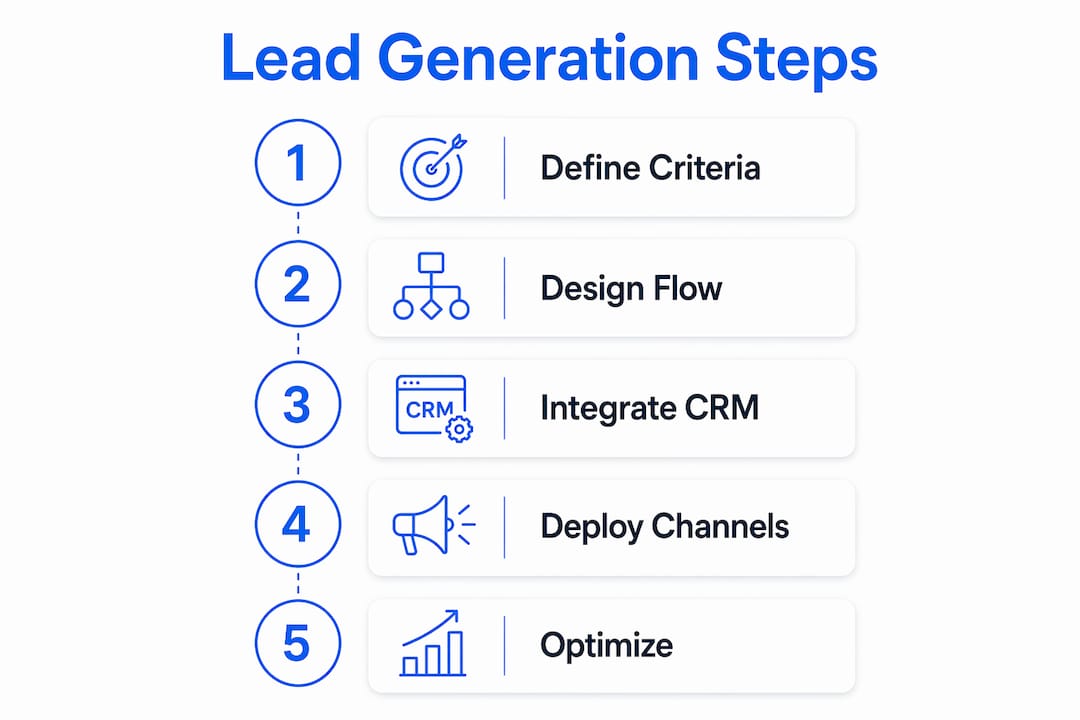
The core structure of an effective lead capture flow follows a clear sequence:
- Welcome message: Greet the visitor with a specific, benefit-driven opener. “Looking for a quote on enterprise software?” outperforms “Hi, how can I help?” because it signals relevance immediately.
- Progressive data collection: Ask for one piece of information at a time. Start with the lowest-friction question, typically the visitor’s name or their primary goal, before requesting an email or phone number.
- Qualification questions: Insert two to three targeted questions that filter sales-ready leads. Examples include budget range, timeline, company size, or specific product interest.
- Appointment or next-step offer: Once a lead qualifies, offer a concrete next action. Integrating Calendly directly into the conversation automates appointment booking without requiring a human handoff.
- Exit or fallback path: Every flow needs a graceful exit. If a visitor does not qualify or disengages, route them to a resource, newsletter signup, or a simple thank-you message.
The most overlooked element in conversation design is the AI safety configuration. Without exit instructions, a chatbot can repeat questions endlessly or loop back to the start, destroying the user experience and killing conversion rates. Set explicit rules for what the bot does when it cannot answer a question or when a visitor goes off script.
Pro Tip: Test your flow as a first-time visitor would experience it. Ask a colleague with no context to complete the conversation and note every point of confusion.
Conversation tone matters as much as structure. A chatbot for a law firm should sound measured and professional. A chatbot for a consumer app can be warmer and more casual. Match the tone to your brand, and keep responses under three sentences per turn. Long chatbot messages read like walls of text on mobile screens, and most of your visitors are on mobile.
The newsletter signup flow deserves special attention. Many businesses treat it as a secondary goal, but a well-timed newsletter offer to a non-qualifying visitor keeps that prospect in your funnel. Capture the email, confirm the subscription, and trigger a welcome sequence in your email platform automatically.
How to integrate your chatbot with CRM and marketing tools
Integration is the step that converts a chatbot from a novelty into a revenue asset. Without it, lead data sits in the chatbot platform and never reaches your sales team.
Follow this sequence to connect your chatbot to your CRM and marketing stack:
- Map chatbot fields to CRM fields. Every data point the chatbot collects, such as name, email, phone, company size, and budget, needs a corresponding field in your CRM. Mapping chatbot data fields directly to CRM records automates lead storage and eliminates manual data entry.
- Connect your scheduling tool. Link Calendly or a comparable scheduling platform to the chatbot’s appointment step. When a qualified lead selects a meeting time, the event should appear in your calendar and trigger a confirmation email automatically.
- Set up marketing automation triggers. Connect your chatbot to platforms like HubSpot or Mailchimp so that a completed lead form triggers a nurture sequence immediately. Speed of follow-up is a direct driver of conversion rates.
- Test the full data flow end to end. Thorough testing confirms that data reaches the CRM correctly and that the chatbot responds appropriately to common queries. Run at least ten test conversations covering different paths before going live.
- Configure lead routing rules. Decide which leads go directly to a sales rep, which enter a nurture sequence, and which receive a self-service resource. Routing rules should mirror your existing sales process, not create a parallel one.
Real-time lead routing is the most immediate benefit of a fully integrated setup. Qualified leads routed automatically to sales teams improve funnel efficiency because response time drops from hours to seconds. Mediabloom’s clients, including Miracle Ear and 1-800 Accountant, generate over 10,000 monthly leads through this type of automated, integrated approach.
Troubleshoot integration issues by checking field mapping first. Mismatched data types, such as a phone number field mapped to a text field, cause silent failures where data appears to transfer but arrives corrupted. Always verify with a live test record in your CRM before full deployment.
What are the best practices for deploying and optimizing your lead generation chatbot?
Deployment is not a one-time event. The highest-performing chatbots are the ones that get updated regularly based on real conversation data.
Deployment channel strategy
Deploying chatbots across multiple channels, including your website, WhatsApp, and Facebook Messenger, expands your reach and captures leads where your audience already spends time. A website chatbot captures inbound traffic. A WhatsApp bot reaches prospects who prefer messaging. A Messenger bot engages social media audiences. Each channel requires a slightly adapted conversation flow to match the platform’s tone and format.
Proactive triggers and timing
Proactive chat triggers based on visitor behavior, such as time on page or scroll depth, increase engagement and reduce bounce rates. A visitor who has spent 45 seconds on your pricing page is a stronger candidate for a proactive greeting than someone who just landed on your homepage. Set triggers based on intent signals, not just time on site.
Optimization practices that actually move the needle
- Monitor conversation completion rates. If visitors drop off at the same question consistently, that question is either too intrusive or poorly worded. Rewrite it and retest.
- Run A/B tests on opening messages. The first message determines whether a visitor engages at all. Test two versions simultaneously and measure which drives more completed flows.
- Review unrecognized input logs weekly. These logs show exactly what visitors are asking that your bot cannot answer. Each unrecognized input is a gap in your flow.
- Update qualification questions quarterly. Your ideal customer profile evolves. Your chatbot’s qualification criteria should evolve with it.
- Avoid infinite loops at all costs. Chatbots that get stuck repeating questions damage brand credibility and drive visitors away permanently. Audit your exit rules every time you update the flow.
Checking chatbot UX performance regularly helps identify friction points that analytics alone do not surface. Qualitative review of conversation transcripts reveals tone mismatches, confusing phrasing, and missed opportunities that quantitative metrics miss entirely.
Key takeaways
A successful chatbot lead generation setup requires platform selection, conversation design, CRM integration, and continuous post-launch optimization working together as a single system.
| Point | Details |
|---|---|
| Platform selection matters | Match the chatbot tool to your workflow; no-code builders like Voiceflow and Tidio reduce setup time significantly. |
| Design for progressive disclosure | Ask one question at a time and collect contact details only after establishing visitor intent. |
| Map fields before integrating | Align chatbot data fields to CRM fields before building to prevent data errors at launch. |
| Configure AI safety rules | Set explicit exit and fallback rules to prevent infinite loops that destroy user experience. |
| Optimize post-launch continuously | Review drop-off points, A/B test opening messages, and update qualification questions quarterly. |
Mediabloom’s take on what most chatbot setups get wrong
The most common mistake we see is businesses treating chatbot setup as a technology project rather than a sales process project. Teams spend weeks selecting platforms and configuring integrations, then launch with conversation flows that were never tested against real buyer behavior. The result is a chatbot that collects data but converts almost nothing.
The second mistake is skipping the AI safety configuration entirely. This is the unsexy part of the setup, and it gets skipped because it feels like edge-case management. It is not. A chatbot that loops or freezes on an unexpected input does not just fail that one visitor. It signals to every visitor who encounters it that your business is not ready to handle their needs. That impression is hard to reverse.
What actually works is starting with your sales team’s qualification script and translating it into a conversation flow. Your best sales reps already know which three questions separate a serious buyer from a tire-kicker. Build those questions into the chatbot first, then add the data collection layer around them. This approach produces chatbots that qualify leads the way your team would, not the way a software template suggests.
The future of this space is AI-driven multi-channel engagement, where a single AI system manages conversations across website chat, SMS, email, and voice simultaneously. Businesses that build their chatbot infrastructure now, with clean CRM integration and tested conversation flows, will be positioned to expand into those channels without rebuilding from scratch. The ones that skip the fundamentals will face that rebuild sooner than they expect.
Measure everything from day one. Completion rate, qualification rate, and time to first sales contact are the three metrics that tell you whether your chatbot is actually generating revenue or just generating activity.
— Mediabloom
Mediabloom’s AI platform for automated lead capture
Mediabloom builds AI-driven lead generation systems that go beyond basic chatbot deployment. The platform combines chatbots, voice agents, and sales automation into one connected system, so leads captured in chat are instantly qualified, routed, and booked without manual intervention.
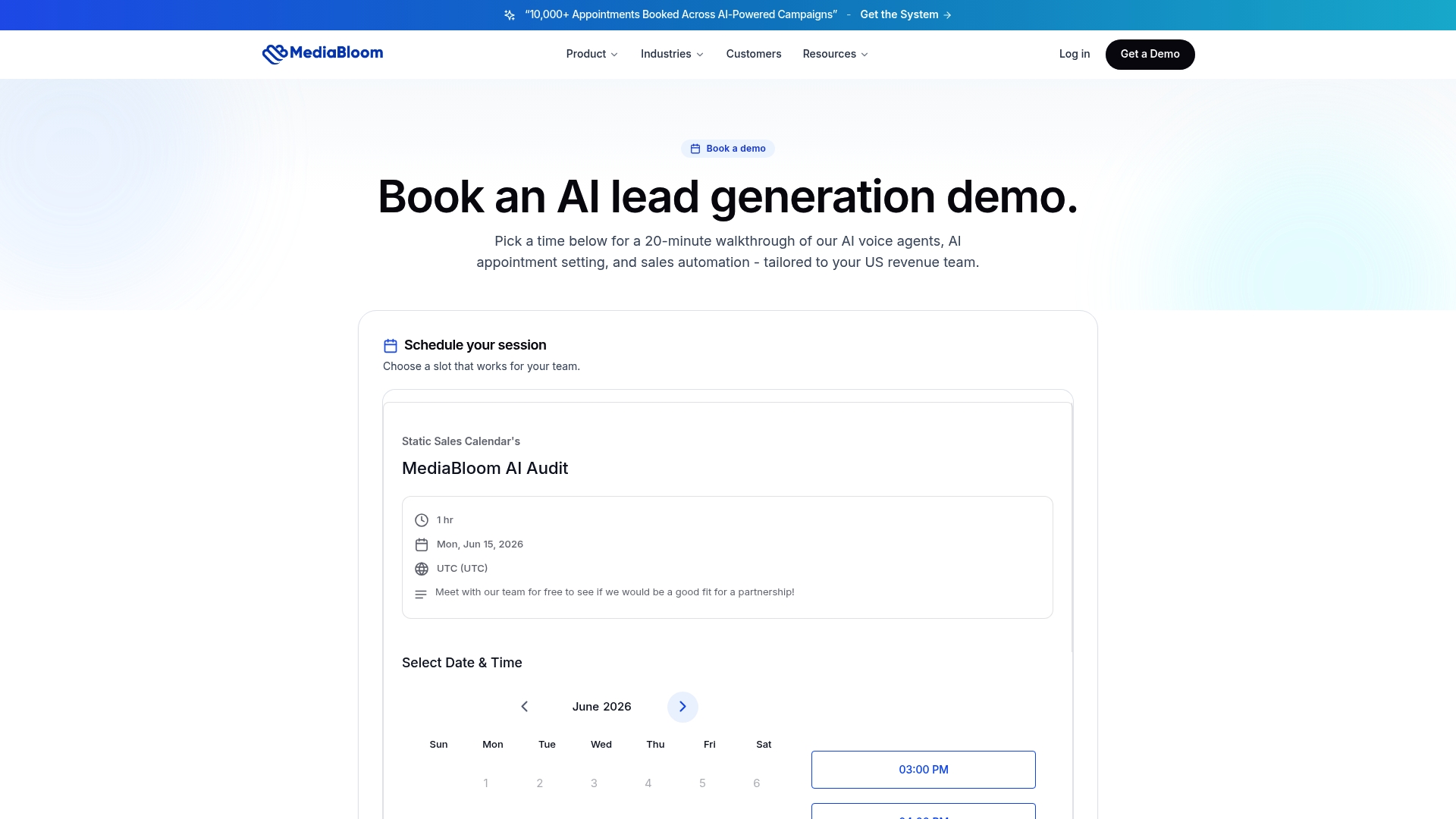
Clients like Miracle Ear and 1-800 Accountant use Mediabloom’s AI lead generation platform to generate over 10,000 monthly leads across channels including SMS, email, and chat. The platform’s on-brand chat automation handles everything from first contact to appointment confirmation. If you want to see how a fully integrated setup performs in your industry, the case studies show real results across multiple verticals. Request a demo to see the system in action with your specific use case.
FAQ
What is a chatbot lead generation setup?
A chatbot lead generation setup is the process of configuring an AI-powered chatbot to capture visitor information, qualify prospects through targeted questions, and route leads to your sales team or CRM automatically.
How long does it take to set up a chatbot for leads?
No-code platforms like Voiceflow allow a basic lead capture chatbot to go live in under 30 minutes. A fully integrated setup with CRM mapping, scheduling tools, and tested conversation flows typically takes one to three days.
Which CRMs work best with lead generation chatbots?
Salesforce, HubSpot, and Zoho are the most widely supported CRMs for chatbot integration. Most major platforms offer native connectors to these tools, which automates lead storage and follow-up without custom development.
Why do chatbots outperform static forms for lead capture?
Static forms lose over 4 in 5 visitors before submission. Chatbots guide prospects through one question at a time, reducing friction and keeping engagement high enough to collect complete contact and qualification data.
What is the biggest mistake in chatbot lead generation setup?
Skipping AI safety and exit rule configuration is the most damaging oversight. Without these rules, a chatbot can loop indefinitely on unexpected inputs, frustrating visitors and reducing conversion rates across every session that encounters the error.


