A 30-minute discovery call that follows a structured script reliably qualifies deals, maps the buying committee, and locks in a concrete next step before the prospect hangs up. Salesforce defines a discovery call as an early-stage diagnostic conversation to determine fit and gather the information both seller and buyer need to decide what happens next. That framing matters: discovery is a diagnostic, not a pitch.
Here is a verbatim opener you can use on your next call:
Close every call with this next-step template:
Every discovery call should accomplish three measurable objectives:
- Qualify or disqualify the opportunity against your ideal customer profile
- Map the decision process: who owns budget, who influences, and what the approval path looks like
- Agree on a next step with a named owner, a deliverable, and a date
Pro Tip: Record the agreed next step in your CRM immediately after the call, before you write the recap email. Reps who log it live close the loop faster and lose fewer deals to “we’ll circle back.”
Key Takeaways
A structured, 30-minute discovery call script that follows the prepare-open-ask-align-capture sequence consistently qualifies deals, maps the buying committee, and books a concrete next step before the call ends.
| Point | Details |
|---|---|
| Optimal question count | Top performers ask 11–14 live questions; move factual intake to async pre-call forms. |
| Role routing matters | SDRs qualify ICP fit; AEs run deeper discovery when budget or executive sponsors are confirmed. |
| Send the recap fast | A thorough follow-up within 24 hours, in the buyer’s own language, is one of the highest-leverage post-call actions. |
| Disqualify early | Politely disqualifying a bad-fit prospect in 30 minutes saves three months of wasted pipeline. |
| Mediabloom automates the ops layer | Mediabloom handles pre-call intake, booking, transcript-to-CRM auto-fill, and recap drafting so reps focus on diagnostic listening. |
Table of Contents
- What is a discovery call and where does it fit in your pipeline?
- Why discovery calls matter more than most teams realize
- When to run a discovery call and who should lead it
- How does a discovery call differ from a demo or a qualifying call?
- Which question frameworks actually work in a discovery call?
- How to run a discovery call in 5 steps
- Copy-paste discovery call scripts and templates
- Red flags that justify polite disqualification
- Practical logistics: call length, agenda, and tech setup
- Follow-up and next-step templates that keep deals moving
- When and how to use AI in your discovery process
- Mediabloom’s take on building a team-wide discovery playbook
- Mediabloom automates the intake, booking, and recap so your reps focus on listening
- Sources
- FAQ
What is a discovery call and where does it fit in your pipeline?
A discovery call is a structured, time-boxed conversation that performs three jobs: it qualifies the prospect against your criteria, surfaces the problem worth solving, and establishes whether both parties want to move forward. It is not a demo, not a pitch, and not a relationship call. Its job is diagnosis.
In a standard B2B pipeline, the sequence runs: lead → discovery → demo or proof-of-concept → proposal → close. Discovery sits at the second gate. Before it, you have enough signal to book the call (a form fill, a demo request, an outbound sequence response). After it, you have enough information to decide whether a demo is worth building.
Two common triggers illustrate the difference between inbound and outbound paths. Inbound: a prospect submits a demo-request form on your website. The discovery call happens within 24 hours to confirm fit before investing in a custom demo. Outbound: an SDR runs a multi-touch sequence and gets a reply. The discovery call is the first live conversation to determine whether the account belongs in the pipeline at all.
Success at call end looks like this: the rep can fill in pain, metric, budget band, decision owners, and next step in the CRM without guessing.
Why discovery calls matter more than most teams realize
Disciplined discovery raises forecast accuracy and shortens time-to-close. When reps skip it, they build demos for prospects who were never going to buy, and they forecast deals that have no decision-maker attached. Both outcomes cost revenue.
The concrete benefits of running structured discovery consistently:
- Faster qualification: you spend 30 minutes instead of three meetings deciding whether a deal is real
- Less demo waste: demos get built for qualified buyers, not curious browsers
- Clearer buying committee mapping: you know who signs before you write a proposal
- Better forecast data: CRM fields are filled with real buyer language, not rep assumptions
- Shorter sales cycles: buyers who feel heard in discovery move faster through approval
Consultative, evidence-based questioning improves buyer trust and sales outcomes, according to research synthesized by Knowledge@Wharton. The mechanism is straightforward: when a buyer feels diagnosed rather than sold to, they share more, which gives the rep the information needed to build a relevant case.
What happens when discovery is skipped? Reps pitch features to problems they assumed. Proposals land without a champion. Demos run for the wrong audience. The deal stalls at legal or procurement because no one mapped the approval process. These are not edge cases; they are the predictable result of treating the first call as a presentation slot.
When to run a discovery call and who should lead it
Run a discovery call when you have enough signal to justify 30 minutes of a qualified prospect’s time, but not enough to build a demo or write a proposal. Specific triggers:
- Inbound form fill or demo request (book within 24 hours)
- Outbound sequence reply that confirms a relevant problem or role
- Referral or partner introduction with a named use case
- Event or content engagement that indicates active buying intent
Role routing determines whether an SDR or an AE leads the call. SDRs handle early-stage qualification calls where the goal is to confirm ICP fit, identify a pain category, and book an AE meeting. AEs take over when budget is confirmed, an executive sponsor is named, or the procurement process is complex enough to require solution-level conversation. A sales engineer or technical SE joins when the prospect’s environment requires architecture-level questions.
Escalation triggers worth knowing: if a prospect mentions a specific budget figure, names a VP or C-suite sponsor, or references a competitive evaluation with a defined timeline, route directly to an AE. Do not run a second SDR call.
On call length: mid-market discovery runs 30 minutes. Enterprise discovery, where stakeholder mapping and procurement complexity are higher, warrants 45 minutes. Anything longer than 45 minutes without a clear agenda signals that the call is doing the work a demo or technical review should do.
How does a discovery call differ from a demo or a qualifying call?
A discovery call diagnoses the problem. A demo proves the solution. A qualifying call confirms basic ICP fit. Running them in the wrong order is the single most common cause of wasted sales cycles.
A typical handoff sequence looks like this:
- SDR qualifying call (10–15 min): confirms company size, role, and a surface-level pain. Books discovery.
- AE discovery call (30–45 min): maps problem depth, decision process, budget band, and timeline. Books demo.
- Demo (45–60 min): AE + SE show a configured walkthrough. Produces a proposal outline.
- Proposal / commercial call: AE presents terms, negotiates, and closes.
One firm rule: demo on the first call only if the buyer explicitly requests a live walkthrough to verify a specific capability, and only if you already have enough qualification data to make the demo relevant. Running a demo before discovery is a pitch, not a sale.
Which question frameworks actually work in a discovery call?
Use a framework, but do not run it as a script. The most effective discovery calls combine SPIN-style probing (Situation, Problem, Implication, Need-payoff) with MEDDIC fields (Metrics, Economic Buyer, Decision Criteria, Decision Process, Identify Pain, Champion). The framework is the map; the conversation is the territory.
Top-performing reps ask roughly 11–14 questions per call, according to analysis across hundreds of thousands of calls. Scripts that run 25–30 questions feel like an interrogation and produce surface-level answers. Depth on one problem is more valuable than breadth across five.
Perspective AI recommends gathering approximately 31 factual questions asynchronously before the call via intake form or AI-led pre-call interview, and reserving roughly 9 live questions for implication and priority. That split reconciles long question inventories with realistic 30-minute call capacity.
Question categories and what each one earns you:
- Context / situation: “Walk me through how your team currently handles [process].” Establishes the baseline so you do not ask questions the prospect’s website already answers.
- Pain / problem: “Where does that process break down most often?” Surfaces the specific friction worth solving.
- Implication: “What does that cost you in [time / revenue / headcount] per quarter?” Quantifies the pain and builds urgency.
- Decision process: “Who else needs to be involved before you move forward?” Maps the buying committee.
- Budget: “Do you have a budget allocated for this, or is that part of what we’d need to define together?” Opens the money conversation without demanding a number.
- Timeline: “Is there a date driving this, or is this more exploratory right now?” Separates active buyers from researchers.
- Stakeholders: “Who would feel the impact of this most directly on your team?” Identifies the champion and the skeptic.
Pro Tip: Move factual, form-fill questions (company size, current tools, team structure) to an async pre-call intake. Reserve your live time for implication and political risk questions — those are the ones that cannot be answered in a form.
How to run a discovery call in 5 steps
The recommended sequence: prepare, open, ask, align, capture. Every step has a time allocation and a coaching prompt.
Step 1 — Prepare (before the call, 15 minutes) Review the prospect’s LinkedIn, recent company news, and any pre-call intake data. Write two hypotheses about their likely pain. Pull the CRM record and confirm what the SDR already captured. Prepare your 3 highest-leverage live questions.

Step 2 — Open (0–5 minutes) Set the agenda, confirm the time box, and ask for permission to take notes. Use the verbatim opener from the introduction. Establish that this is a two-way conversation, not a presentation.
Step 3 — Ask (5–22 minutes) Run your 9–14 live questions across the categories above. Follow implications two levels deep before moving to the next category. Capture buyer language verbatim in your shared canvas or notes doc, not paraphrases.

Step 4 — Align (22–27 minutes) Summarize what you heard in the prospect’s own words. Confirm your understanding before moving to next steps. HubSpot recommends confirming understanding on-call before closing the conversation.
Step 5 — Capture (27–30 minutes) Agree on the next step, name the owner, and set the date. Log the structured CRM fields before ending the call.
Agenda template to paste into your calendar invite:
CRM note template:
| Field | What to capture |
|---|---|
| Pain | Prospect’s exact words describing the problem |
| Metric | Quantified impact (time, cost, revenue) |
| Budget band | Confirmed, estimated, or undefined |
| Decision owners | Names and roles of all stakeholders |
| Next step | Action, owner, and date |
Copy-paste discovery call scripts and templates
The templates below cover the four moments that most reps improvise: the opener, the qualifying block, the objection response, and the close for next step. Copy them into your playbook and adjust the bracketed fields.
SDR cold outbound opener (15–20 seconds)
Inbound response opener (20–30 seconds)
AE deeper-discovery opener (45–60 seconds)
Qualifying block (3 core questions)
- “What’s prompting you to look at this now, versus six months ago?”
- “If you solved [pain], what would that mean for [metric: revenue, headcount, time]?”
- “Who else on your team would need to weigh in before you moved forward?”
Objection responses
“We don’t have budget right now.” “This isn’t a priority.” “We’re evaluating others.”
Close for next step
Pro Tip: For B2B outbound SDR workflows, keep the opener under 20 seconds. Prospects decide in the first 8 seconds whether to stay on the line. Lead with the trigger, not the company name.
Red flags that justify polite disqualification
Disqualifying a bad-fit prospect in 30 minutes is one of the highest-ROI moves in sales. The alternative is spending three months on a deal that was never going to close.
Common disqualifiers and recommended phrasing:
- No budget, no path to budget: “It sounds like budget isn’t allocated yet and there’s no clear timeline to revisit it. Rather than take more of your time, would it make sense to reconnect in [quarter]?”
- No decision-maker access: “It sounds like [executive name] would need to be involved before anything moves forward. Would it be possible to include them in the next conversation?”
- Vague or shifting priorities: “I want to make sure we’re solving a real problem for you. What would need to be true for this to become a priority in the next 90 days?”
- Mismatched ICP: “Based on what you’ve described, I’m not sure we’re the right fit for where you are right now. I’d rather tell you that now than waste your time on a demo.”
When to disqualify vs. convert to a research call: disqualify when there is no budget path, no timeline, and no decision-maker access. Convert to a research call when the pain is real but the timing is wrong. A research call keeps the relationship warm without burning sales capacity.
Polite disqualify email template:
Practical logistics: call length, agenda, and tech setup
Mid-market discovery runs 30 minutes. Enterprise discovery runs 45 minutes. The difference is not the number of questions; it is the complexity of stakeholder mapping and procurement requirements. Anything beyond 45 minutes without a defined agenda is a sign the call is doing the work a technical review should do.
Minute-by-minute agenda for a 30-minute call:
| Minutes | Activity |
|---|---|
| 0–2 | Introductions, confirm agenda and time box |
| 2–5 | Context-setting: prospect describes their current situation |
| 5–20 | Discovery questions (9–14 live questions, two-level follow-up) |
| 20–25 | Summary and alignment in buyer’s language |
| 25–27 | Next step agreement: action, owner, date |
| 27–30 | Logistics: calendar invite, attendees, any pre-work |
Tech checklist before every call:
- Recording consent confirmed (required under TCPA and state wiretapping laws for U.S. calls)
- Shared canvas or collaborative doc open and linked in the calendar invite
- CRM record pulled up with SDR notes visible
- Call intelligence platform connected for transcription and keyword flagging
Note-taking best practices:
- Capture buyer language verbatim, not paraphrased summaries
- Use structured CRM fields for pain, metric, budget band, decision owners, and next step
- Use free-text fields for context, political nuance, and stakeholder dynamics
- Never rely on memory; log structured fields before the recap email goes out
Ziellab recommends structured CRM fields plus AI-assisted transcription and auto-fill so that good discovery becomes the path of least resistance for reps rather than a discipline problem. The goal is a system where filling in the fields is easier than skipping them.
Follow-up and next-step templates that keep deals moving
Send a recap within 24 hours. HubSpot’s guidance is direct: a thorough follow-up sent promptly is one of the highest-leverage actions a rep takes after a discovery call. The recap should include the buyer’s own language, the agreed next steps with named owners and dates, and a link to the shared canvas.
Short recap email (send within 2 hours when possible):
Detailed recap email (use for enterprise or multi-stakeholder deals):
Calendar invite message:
Follow-up cadence: if you do not hear back within 48 hours of sending the recap, send one nudge referencing the agreed next step. If there is no response after two nudges, move the contact to a nurture sequence rather than continuing manual outreach.
When and how to use AI in your discovery process
Use AI for pre-call intake, recurring admin, and structured recap. Keep the empathy-driven diagnostic listening human. That division of labor is not a philosophical position; it is a practical one. AI handles volume and consistency; reps handle judgment and trust.
Specific use cases where AI adds measurable value:
- Async pre-call intake: an AI-led conversational interviewer gathers factual context (company size, current tools, team structure, surface-level pain) before the call, so live time goes to implication and priority questions
- Transcript-to-CRM auto-fill: AI reads the call transcript and populates MEDDIC or MEDDPICC fields, reducing post-call admin from 20 minutes to under 5
- Shared canvas automation: the canvas captures buyer language live and feeds it directly into the recap email and CRM record
- Pipeline reactivation: AI-driven outreach re-engages stalled deals with personalized context, booking new discovery calls without rep involvement
Compliance and quality guardrails for U.S. teams:
- Recording consent is required before the call starts; TCPA governs voice and SMS outreach, and state laws (California, Illinois, Florida) add additional wiretapping requirements
- AI-generated recaps should be reviewed before sending; hallucination risk is real when the model fills in fields it did not hear clearly
- Poor personalization in AI-generated openers can damage the relationship before the call starts; always review AI-drafted outreach before it goes out
Where AI creates risk: over-reliance on AI-generated summaries without rep review, using AI to replace the diagnostic conversation rather than support it, and deploying voice agents for discovery without clear disclosure. The Commserve Connect case study shows how AI-assisted intake and booking can scale appointment setting without replacing the human diagnostic conversation.
For teams designing async intake surveys, effective survey design follows the same principle: gather factual context efficiently so the live conversation can focus on what matters.
Mediabloom’s take on building a team-wide discovery playbook
The most common reason discovery quality degrades across a team is not rep skill; it is friction. When filling in CRM fields takes longer than skipping them, reps skip them. When the recap email requires 20 minutes of manual work, it goes out late or not at all. The fix is structural, not motivational.
Three operational moves that make a difference:
- Pre-call brief: build a one-page template that pulls CRM data, LinkedIn signal, and intake form responses into a single view. Reps who spend 15 minutes preparing ask better questions than reps who spend 2 minutes.
- Async intake before every call: route factual questions to an intake form or AI-led pre-call interview. Reserve live time for the 9 questions that require human judgment.
- 24-hour recap with shared canvas: the canvas captures buyer language during the call and feeds it into the recap and CRM automatically. Reps who use a shared canvas close the loop faster and produce higher-quality CRM data.
On measurement: track your discovery-to-demo advance rate and the percentage of CRM fields filled after each call. Those two metrics tell you more about discovery quality than call recordings alone.
Mediabloom automates the intake, booking, and recap so your reps focus on listening
Most sales teams lose deals not because their reps ask bad questions, but because the operational layer around discovery is broken. Pre-call intake is manual. Booking confirmation goes out hours late. The recap email never gets sent. CRM fields stay blank.
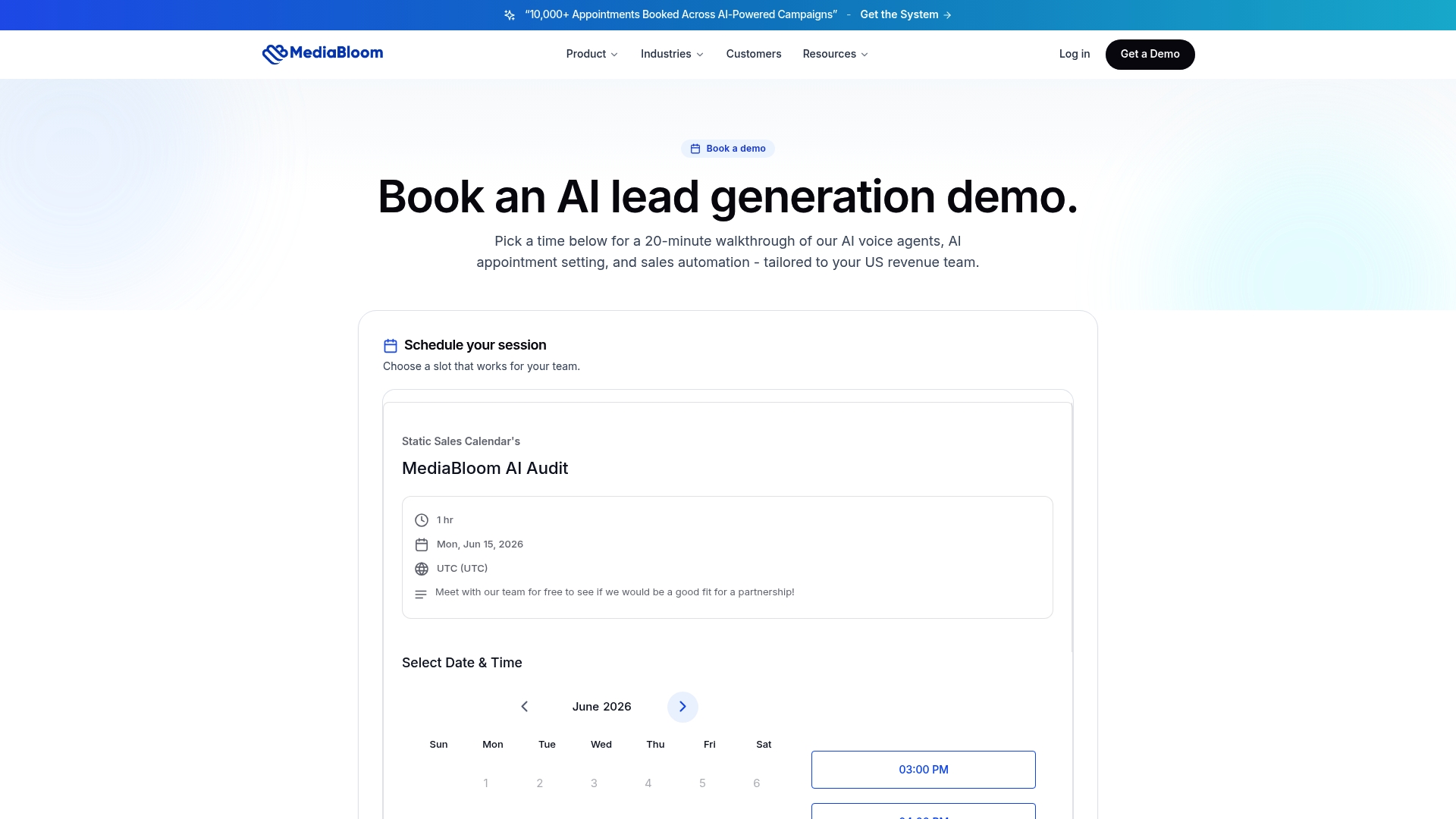
Mediabloom’s AI platform handles the operational layer end-to-end: an AI voice agent or chatbot runs the async pre-call intake, books the discovery call, and sends the confirmation. After the call, AI transcription auto-fills your MEDDIC fields and drafts the recap email for rep review. The result is reps who arrive prepared, prospects who feel heard, and CRM data that actually reflects what happened. Integrations with 600+ CRM and sales platforms mean the data flows where your team already works. See how it works for your pipeline at Mediabloom or watch a live AI voice agent demo.
Sources
- Discovery Call Questions — HubSpot Blog
- What is a Discovery Call? Questions & Sample Script
- The Discovery Call Template Top B2B Sales Teams Use in 2026
- The science of selling
FAQ
What is a discovery call script?
A discovery call script is a structured template that guides a sales rep through a qualification conversation, covering opener, question categories, objection responses, and a close for next step. It is a framework for consistent, repeatable discovery, not a word-for-word reading.
How long should a discovery call be?
Mid-market discovery calls run 30 minutes. Enterprise calls, where stakeholder mapping and procurement complexity are higher, warrant 45 minutes. Calls that run longer without a defined agenda are typically doing the work a demo or technical review should handle.
How many questions should you ask on a discovery call?
Scripts with 25–30 questions feel like interrogations and produce shallower answers. Move factual questions to an async pre-call intake and reserve live time for implication and priority questions.
When should you disqualify a prospect during discovery?
Disqualify when there is no budget path, no timeline, and no access to a decision-maker. If the pain is real but the timing is wrong, convert to a research call and set a follow-up date rather than burning sales capacity on a deal that cannot close.
How does Mediabloom support the discovery call process?
Mediabloom automates the pre-call intake, booking confirmation, transcript-to-CRM auto-fill, and recap email drafting, so reps arrive prepared and spend live call time on diagnostic listening rather than admin. The platform integrates with 600+ CRM and sales tools.